

Accented Character Shortcuts
Enter accented characters with "Ctrl+Accent, Character" shortcuts.
Description
NOTE: This extension has been superceded by my Text Shortcuts extension and will receive no further updates. (https://addons.opera.com/addons/extensions/details/text-shortcuts)
Hold Ctrl and type a punctuation mark, then release Ctrl and type a letter to enter an accented character. For example, "Ctrl + : (Colon), A" enters "Ä".
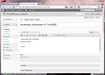
This works in regular text inputs, TinyMCE, and rich-text editors that use designMode or the "contenteditable" attribute.
Shortcut combinations are identical to those used in Microsoft Word. The supported shortcuts are the same as those listed at http://office.microsoft.com/en-us/word-help/keyboard-shortcuts-for-international-characters-HP001230378.aspx except that the Unicode/Ansi character code shortcuts are not supported.
To make sure this extension works in all pages, enter "opera:config" in the address bar and check both "User JavaScript" and "Always Load User JavaScript". To make it work on secure connections or in private browsing mode, go to Menu > Extensions > Manage Extensions, select "Privacy" from the cogwheel button next to the extension, and check the appropriate boxes.
Version 1.1 adds support for TinyMCE and more input types.
Version 1.2 adds support for rich text editors using designMode.
Version 1.3 will not break if/when Opera removes support for Node.document
Version 1.4 adds shortcuts for '¿' and '¡'.
Screenshots
Download
Works with Opera 11 or later.
About this extension
| Original page | Internet Archive |
|---|
All versions
- accented-character-shortcuts-1.4-2.oex 9.1 KB (recovered copy)