
Add-ons › Extensions › Accessibility

AutoScroll
Auto scrolling page without wheel click.
Description
Auto-scrolling page without wheel click.
This is useful for users with laptop computer which have touch-pad instead of mouse.
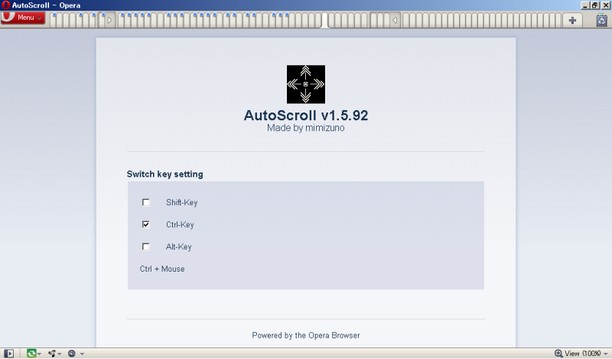
Usage:Hold Trigger-key(this key can be changed. default is SHIFT).Move MOUSE. Page scrolls the direction.Release Trigger-key. Scroll speed will be fixed.To stop scroll fire Trigger-key.(In Mac)To stop scroll fire SHIFT, COMMAND or OPTION regardless of Trigger-key config.
Config:Trigger-key is SHIFT key by default.Select it from CTRL, SHIFT or ALT.You can set CTRL and SHIFT.Can't set only ALT.(In Mac)Command is instead of CTRL and Option is instead of ALT.Can't use CTRL key.
Support:Opera 11.01 on Windows 7 64 bitOpera 11.00 on Mac OS X 10.6
Screenshots
Download
Works with Opera 11 or later.
About this extension
| Downloads | 17,419 |
|---|---|
| Category | Accessibility |
| Version | 1.8.109 |
| Size | 13.9 KB |
| Last update | July 4, 2011 |
| Source | Offline copy of addons.opera.com, June 3, 2013 |
All versions
- autoscroll-1.8.109-1.oex 14 KB (recovered copy)