
Add-ons › Extensions › Tools

Drag-Resize TextArea
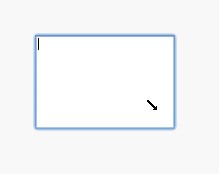
Shift+Drag to resize textarea
Description
Shift+Drag to resize textarea
Shift+Drag to resize textarea
Have you ever felt textareas on webpages are too small?
1. Install this extension
2. Press and hold down Shift key
3. Press and hold down mouse on a textarea
4. Drag mouse
5. Hallelujah!
I cannot comment on this place more than once, so if you want to ask any question, please comment on my blog post.
http://my.opera.com/edvakf/blog/shift-drag-to-resize-textarea-on-opera
Changelog:
v1.0.3
* Support one-line text filed (input field)
* Textarea won't become smaller than its original size
* Won't prevent Opera's drag and drop unless shift is pressed (it's actually Opera's bug that if there is a mousedown listener, the native drag & drop doesn't work)
Screenshots
Download
Works with Opera 11 or later.
About this extension
| Downloads | 7,443 |
|---|---|
| Category | Tools |
| Version | 1.0.3 |
| Size | 6.0 KB |
| Last update | July 4, 2011 |
| License | Full license text |
| Support | Support page |
| Original page | Internet Archive |