
Add-ons › Extensions › Accessibility

Excesskey
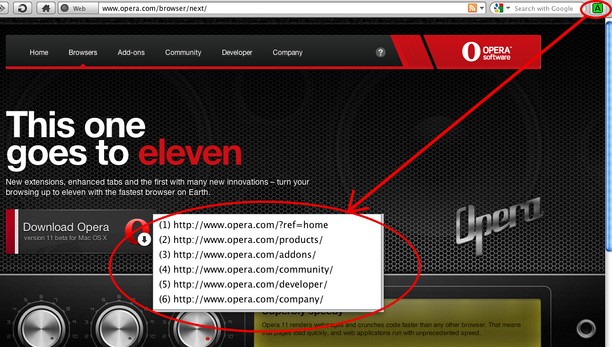
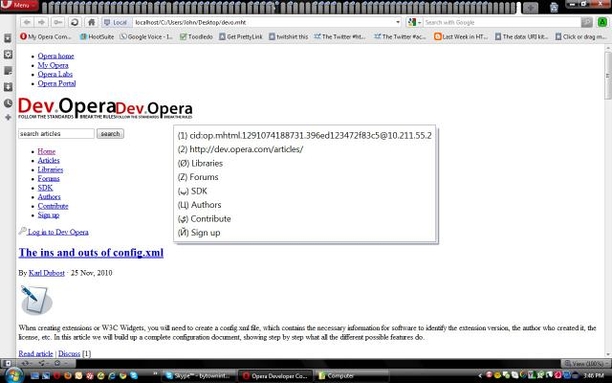
Make accesskeys more usable. Press shift-esc to show the accesskey menu if the icon shows green and clean.
Description
If the current page uses accesskeys, the icon will get a green background. Press shift-esc (default opera shortcut - it can be changed in Opera's preferences) to see the accesskey menu. The extension will also make sure that each accesskey is used once, assigning keys from a default set.
If there are no accesskeys in the page, the icon will get a red X and white background.
There are still many improvements to make: - if there are more elements than usable keys, handle it more gracefully - handle dynamically created elements with accesskeys (Opera currently doesn't) - handle changes to the preferred keyset made after the page was loaded - perhaps replace the existing accesskey menu itself with an HTML-based popup (This would allow for further tweaks like styling the menu)
Screenshots
Download
Works with Opera 11 or later.
About this extension
| Downloads | 1,863 |
|---|---|
| Category | Accessibility |
| Version | 1.21 |
| Size | 8.4 KB |
| Last update | July 4, 2011 |
| Source | Offline copy of addons.opera.com, June 3, 2013 |
All versions
- excesskey-1.21-1.oex 8.4 KB (recovered copy)