
Add-ons › Extensions › Tools

External Scripts
Block external scritps from same or other domain
Description
Block any external scripts you want!
Few hints:
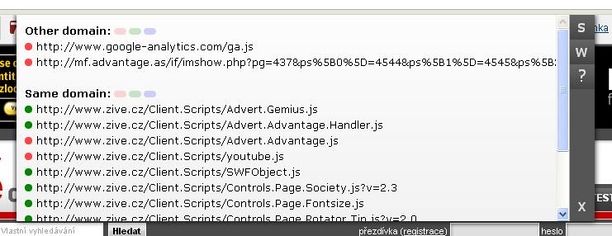
- Click on the colored buttons in the scripts list to block or unblock script(s).
- In "S" (Settings) section you can set "auto disable" for same or other domain.
- In "S" (settings) section you can set to ignore query string, so scripts with same url but different query string will be blocked on one click.
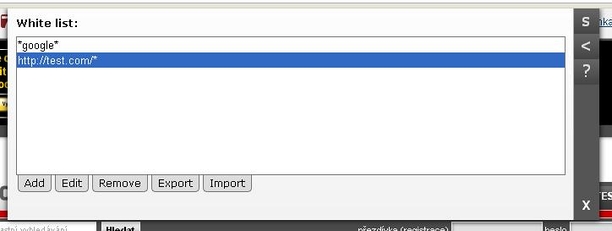
- Use "W" (White list) section to determine which scripts won't be blocked (for example if you set to block all scripts from other domain but you want to enable all script with "google" in their url, then use "*google*" in white list)
- You can use the oval buttons next to "Other/Same domain:" in the scripts list to block or unblock all scripts from the section or you can use the blue oval button to hide scripts that are in whitelist.
- Press and hold the left mouse button on the colored button (which usually blocks/unblocks scripts) for one second (then release the button), to add the script to white list.
Screenshots
Download
Works with Opera 11 or later.
About this extension
| Downloads | 51,283 |
|---|---|
| Category | Tools |
| Version | 1.21 |
| Size | 32.4 KB |
| License | Full license text |
| Support | Support page |
| Original page | Internet Archive |