
Add-ons › Extensions › Pictures

Find Matching Images
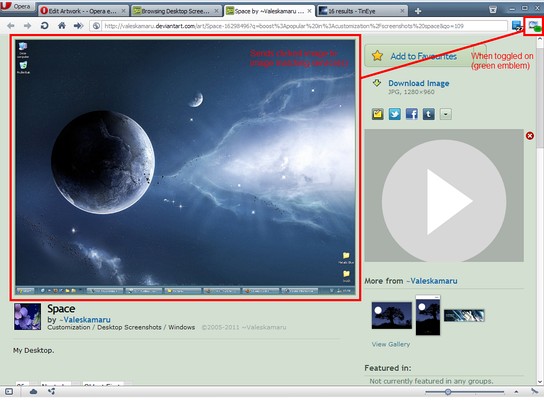
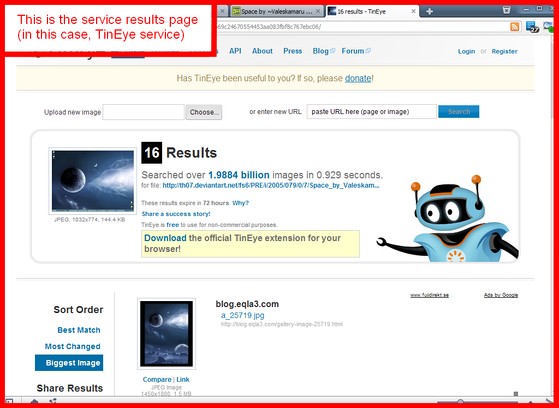
Sends desired image to be matched with other images across the web, to supported image matching service of choice.
Description
There are three image matching service modes:
1. TinEye
2. Google
3. Both (sends image to the above services simultaneously)
There are three modes in which this extension opens the service results page:
1. Foreground tab
2. Background tab
3. Foreground window
There are four modes in which this extension detects and sends clicked images to the service:
1. Using the UI button in toggled-on state.
2. Like above, but only images that are not functioning as hyperlinks.
2. SHIFT key modifier. (Also removes the UI button)
3. ALT key modifier. (Also removes the UI button)
Unfortunately Opera does not expose context menu API, therefore this (or any other) extension cannot provide context menus either.
Notes:
1. This extension only works on img elements.
2. In order for the Google service to work (Google blocks Opera from reverse image search !?) you have to, either globally, or on individual sites, identify the Opera as Firefox (or anything else not blocked by googles service). Here's how to do that on individual sites, and in this case Google:
Navigate to http://images.google.com, right click the page and from the context menu pick "Edit Site Preferences...". In the window that pops up, click the "Network" tab. Click the drop-down menu/list that is prepended by the text "Browser identification" and choose "Identify as Firefox" and click "Ok". You should now be able to use the Google service.
---------------------
Icons are from the Crystal Project: http://www.everaldo.com/crystal/?action=license
Screenshots
Download
Works with Opera 11 or later.
About this extension
| Downloads | 44,960 |
|---|---|
| Category | Pictures |
| Version | 1.7 |
| Size | 27.3 KB |
| License | Full license text |
| Original page | Internet Archive |
All versions
- tineye-search-1.7-2.oex 27 KB
- tineye-search-1.6.3-1.oex 27 KB