
Add-ons › Extensions › Pictures

Fluschipranie
Download your facebook albums and tagged photos with fluschipranie. You can grab large images too.
Description
0. By default fluschipranie prompt for prefix and album name every time an album is gonna be stored. You can
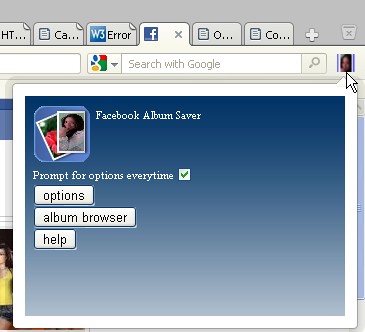
customize this behaviour in the extension preferences or clicking the widget button and pressing the options button, then unchecking "prompt for options everytime".
1. Move your mouse cursor over an album link, right click it, a button with text "fluschipranie download" will show up, click it.
2. If you have "prompt for options everytime" unchecked in your options file skip this step, if not, a popup with album and prefix fields will show up, fill them if you want and press save, or just press save with empty fields.
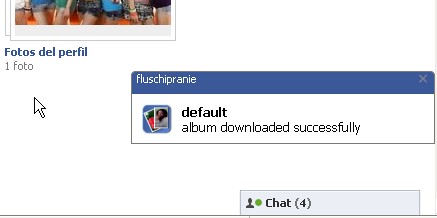
3. If all went well you will receive a notification with your album name and message: "album downloaded successfully", if not, you may or not receive a notification error.
4. Click the button widget of the right-top-most corner of your browser, a panel will show up, click album browser button. A new tab will open with your saved albums listed.
5. In the album browser tab click any album listed to open a new tab with your saved photos listed.
6. Your photos are saved internally. You can see them anytime being offline through the album browser. But you can also download the album as html file, while standing in the listing photos tab press Cntrl+save.
Screenshots

Download
Works with Opera 11 or later.
About this extension
| Downloads | 3,711 |
|---|---|
| Category | Pictures |
| Version | 1.4.1 |
| Size | 34.4 KB |
| License | Full license text |
| Support | Support page |
| Original page | Internet Archive |