
Add-ons › Extensions › Tools

Google Adsense Monitor
Preview your Adsense earnings in an Opera Speed Dial.
Description
Google Adsense Monitor lets you view your latest Adsense earnings in an Opera Speed Dial.
Features:
1. Safe and Secure
The extension doesn't need to know your sign in email or password, and doesn't involve itself with the login process. It also doesn't store your sign in details anywhere nor does it share your Adsense data with any other website.
2. Simple, Effective Design
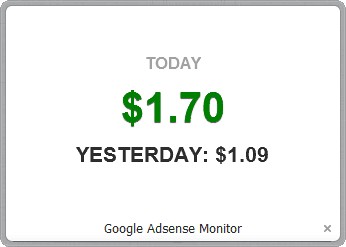
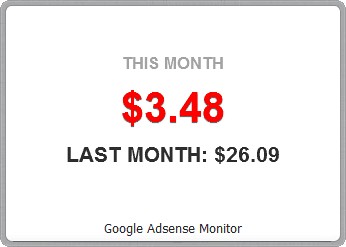
The colour of the earning data indicate whether your earnings have improved or not. Red indicates a drop in earning, while green indicates an improvement.
3. Automatic Updates
Once you have logged in, Google Adsense Monitor downloads new Adsense earnings data every 15 minutes.
4. Customisable
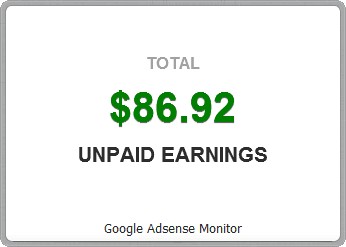
Displays daily, monthly and / or total unpaid earnings data, as per your preference.
5. Modify at Will
The source code of the extension is available for free and is released under the open source GPL 3 license.
Usage:
1. After logging into the Google Adsense, don’t sign out - just close the tab. Please note that it will take at least 2 minutes, after sign in, for the data to be updated and displayed in the Speed Dial.
2. The upward and the downward (indicated by the green and red colour respectively) swing of the earnings data is based on the comparison with the previous period’s earning (i.e. today's earning is compared with yesterday’s, and this month's earning is compared with last month’s).
Website: http://adsensemonitor.tumblr.com/
Source: https://github.com/thewebdev/opera-extension-am.git
Screenshots
Download
Works with Opera 11 or later.
About this extension
| Downloads | 43,736 |
|---|---|
| Category | Tools |
| Version | 1.6 |
| Size | 38.3 KB |
| License | Full license text |
| Support | Support page |
| Original page | Internet Archive |