
Add-ons › Extensions › Productivity

Google Calendar
Google Calendar events in your Speed Dial.
Description
Opera Speed Dial Google Calendar extension
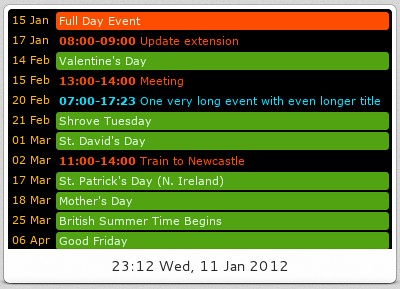
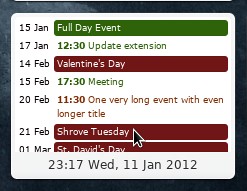
This extension displays Google Calendar entries in a Speed Dial tile.
This is not an official Google Calendar extension.
## Translators needed!
To translate the extension to your language, please translate messages in the following language file https://gist.github.com/3773358 and send the translated file to me (paste the content or URL in the comments).
## How to use it:
1. Install extension
2. Sign in using your Google calendar account normally (if not yet signed in) or sign in into your Google account inside the preferences of an extension
3. Click 'Refresh calendars' button in options page if you are signed into your Goole account but extension still says 'Click to sign in...'
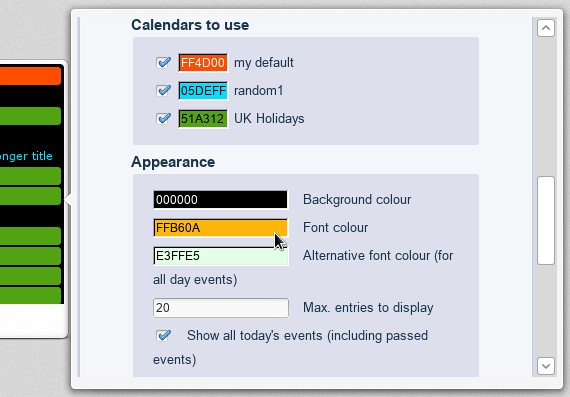
4. (Optional) Select calendars you want to get entries from:
* Default - only entries from the default calendar are displayed
* Own calendars - entries from all user's calendars are displayed
* All calendars - all user's calendars as well as subscribed calendars, e.g. Holidays
* Selected - you will be allowed to select calendars to sync. Also you will be able to set colours of calendars to your own preference
5. Change other customisation options as you like!
## Timezone
Set timezone option to your location if your events have wrong start/end times.
## Support page
Please leave comments/issues in the comments of the extension page.
Source code is available on github [https://github.com/lrns/opera-gcal-sd]. Contributions are always welcome!
## Limitation
* Notifications (alerts) are not possible due to limitations of Opera Extension API
* Syncing Tasks from Google Calendar is not possible because of limitations of Google Calendar Data API
## Changelog
* 2.4 - fixed time zone settings, added German and Japanese translations, 12h clock option
* 2.3 - Czech translation, more debug options
* 2.2 - option to change language independently from browser's language. Turkish translation
* 2.1 - localisation implemented. Dutch and Lithuanian translations added.
* 2.0 - selective sync; a lot of customisation options: colours, date format, timezone, font size, do not wrap long event titles, show today's passed events, show the end time of an event; custom Speed Dial title
* 1.1.1 - option to choose whether to share browser's session or sign in to another Google account
* 1.1.0 - sharing browser's session (no separe sign in needed), new options page, 'refresh calendars' button in options page
* 1.0.2 - fix for recurring events
* 1.0.1 - fixed parameters for URL of feeds
* 1.0.0 - Initial release
Screenshots
Download
Works with Opera 11 or later.
About this extension
| Downloads | 88,331 |
|---|---|
| Category | Productivity |
| Version | 2.5 |
| Size | 75.3 KB |
| License | Full license text |
| Original page | Internet Archive |