
Add-ons › Extensions › Tools

HyperTranslate
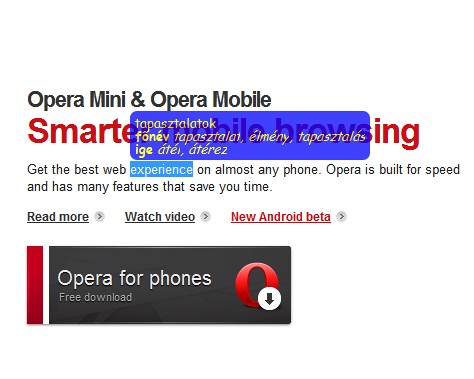
Advanced inline translator: Select the text then press selected key to translate selection.
Description
Please send me feature requests! (via comment or email)
Please contribute at the Firefox add-on's page! (link below)
Find us on Facebook!
==Key features==
¤ translate with either mouse (double click) or keyboard (press key)
¤ exact positioning according to the selection
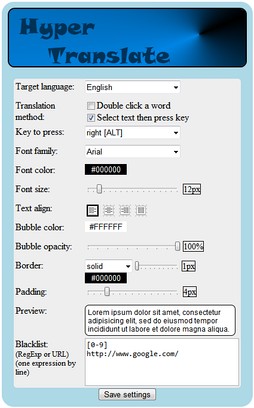
¤ absolutely customizable bubble (pop-up)
¤ fast translation
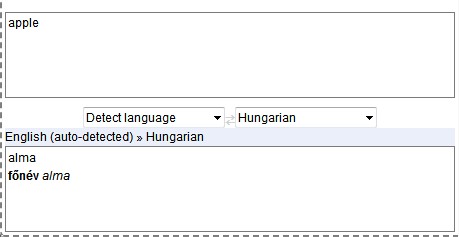
¤ retrieves the full translation including the "dictionary"
¤ real-time translation (right-click while holding selected key to toggle translator box visibility)
==Credits==
Main idea and request: my mother
Colour picker (on the options page): jscolor (http://jscolor.com/)
Logo (icon) and banner (on the options page): a friend of mine who didn't want his name to be mentioned
Text align images (in the options page): Share Free Icons (http://www.sharefreeicons.com/)
==Known issues==
01 Due to the CSS style inheriting the appearance of the bubble or the translator box may differ depending on what website are you on. If it makes the extension ugly or unusable, please let me know.
02 Sometimes it interferes with WYSIWYG editors or special web-mails - HTML code is inserted to the editing box. As a workaround, you can add the critical site's URL to the blacklist.
Firefox version: https://addons.mozilla.org/en-US/firefox/addon/213944/
Safari version: http://www.pimpmysafari.com/extensions/hypertranslate
Chrome version: https://chrome.google.com/extensions/detail/kecaejkkcpijbbnnmnkpcpgiifdplcia/
Screenshots
Download
Works with Opera 11 or later.
About this extension
| Downloads | 114,366 |
|---|---|
| Category | Tools |
| Version | 2.3.0 |
| Size | 46.6 KB |
| Last update | July 4, 2011 |
| License | Full license text |
| Support | Support page |
| Original page | Internet Archive |