
Add-ons › Extensions › Tools

IcoLog
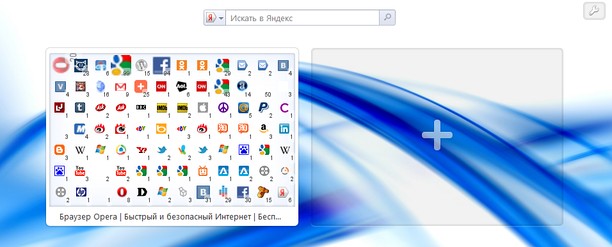
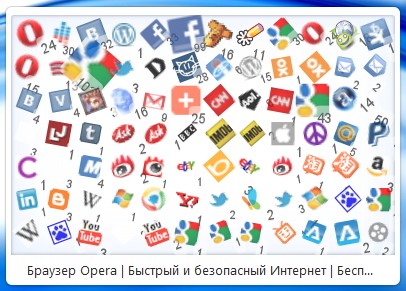
Shows favicons log of visited websites in your Speed-Dial.
Description
The counter near an icon shows the number of times that icon was loaded. Icon size depends on it's counter.
You can go to the last opened page on SD click.
Things you must know:
* Only pages with icon are logged, it's icon logger ;)
* Some sites have different urls for icons which looks the same. Usually it's different subdomains. IcoLog logs each icon url as separate icon.
* Some sites include social widgets, which can be logged too.
* Sometimes web page loaded from cache, so script is not executed and icon counter don't increase.
Known issues:
- After opening Opera with a lot of pages some icon images are not loaded properly.
- Sometimes scaled and rotated icon appears and stops (don't zoom to normal). It will be cleaned in 30 seconds.
Support:
Tweet @zxcat with #IcoLog (because I can't answer here in comments, only 1 comment allowed).
I'll be glad to get any feedback.
Changelog:
v1.0 First public release.
Screenshots
Download
Works with Opera 11 or later.
About this extension
| Downloads | 89,716 |
|---|---|
| Category | Tools |
| Version | 1.0 |
| Size | 6.7 KB |
| Last update | July 4, 2011 |
| License | Full license text |
| Support | Support page |
| Original page | Internet Archive |
All versions
- icolog-1.0-1.oex 6.7 KB