
Add-ons › Extensions › Web Development

Include CSS
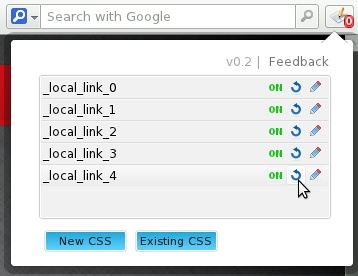
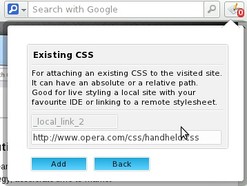
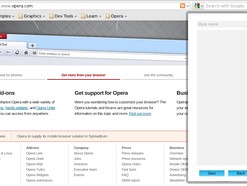
Extension that allows developers to include multiple CSS stylesheets on any visited website. It features 'CSS autorefresh' (for live editing with your favourite IDE) and 'Hot Code', which is visual selection.
Description
-- Usage:
-video demonstration: http://www.youtube.com/watch?v=fGBa8FQa-Kc
-make sure you reload your pages right after installing the extension
-click on the icon and add your stylesheets (write it yourself or link an external stylesheet)
-optionally you can save your stylesheets so that every time you load that page, or any other page from the same domain name, the page is rendered with your stylesheet
-you can later remove or edit your styles
-you can hide the extension's icon
-- 'Hot Code':
-keys (pressed while hovering over the element):
- 'S' - select element
- 'P' - parent of the selected element
- 'I' - id of the selected element (if it has one)
- 'C' - class of the selected element (if it has one)
- 'T' - tag of the selected element
- if you want to select elements without showing the extension popup (maybe you want to select an element that is behind the extension popup), click twice anywhere on the website, just don't click on a link :), and to stop selecting press on the green button that is labeled 'Hot Code'
-- Notes:
-this is an early version (it could have bugs, and I would appreciated if you could report them here) -applying stylesheets to iframes does not work yet -you can't make permanent changes on the DEFAULT (local_link_* and local_style_*) website styles
-if you like it, please rate it
-- Status:
-if I'll notice any bugs I will fix them as soon as possible
-- Tags: stylish , usercss
Screenshots
Download
Works with Opera 11 or later.
About this extension
| Downloads | 15,726 |
|---|---|
| Category | Web Development |
| Version | 0.36 |
| Size | 46.3 KB |
| License | Full license text |
| Support | Support page |
| Original page | Internet Archive |
All versions
- include-css-0.36-1.oex 46 KB (recovered copy)