
Add-ons › Extensions › Tools

Inline Translator
Language tool to translate selected text, text input contents, or the whole web page.
Description
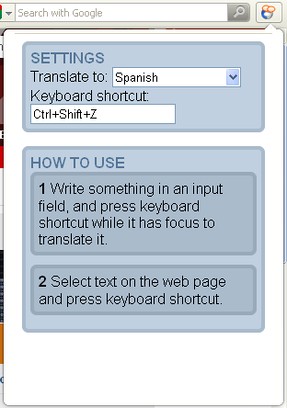
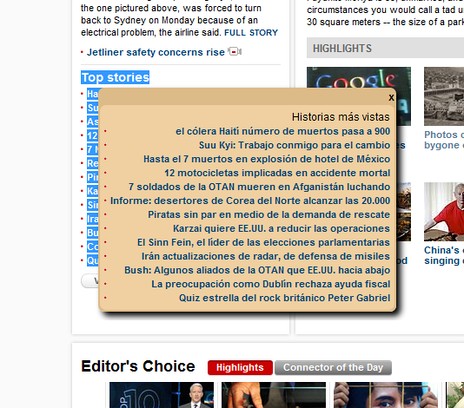
This is a tool to quickly translate text on a web page. Once you have selected some text, press a keyboard shortcut to translate it (the default shortcut is Ctrl+Shift+Z). If no text is selected, the whole page will be translated.
You can also use this extension to translate text in input fields. Select an input field containing text, and press the keyboard shortcut - the text in the input field will then be replaced with the translation.
Preferences available:- Choose which language to translate to- Choose which keyboard shortcut you want to activate the translation- Preferences can be set to be available from address bar
Note: This extension does not work on secure web pages as it sends data to Google Translate API.
Tip: Try to search for "Mount Fuji" in japanese on youtube.com!
Screenshots
Download
Works with Opera 11 or later.
About this extension
| Downloads | 39,892 |
|---|---|
| Category | Tools |
| Version | 0.95 |
| Size | 29.4 KB |
| Last update | July 4, 2011 |
| Source | Offline copy of addons.opera.com, June 3, 2013 |
All versions
- inline-translator-0.95-1.oex 29 KB (recovered copy)