
Add-ons › Extensions › Web Development

JsonViewer
Formats and highlights JSON data loaded from file or server.
Description
IMPORTANT!!! Setup content type and opera config as described in sections [MIME Type] and [Opera:config]. Otherwise extension may not work.
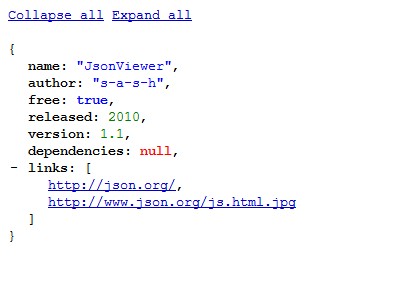
Extension formats and highlights JSON data loaded from file or server
String and boolean values are highlighted with blue, numbers - with green, null values - with red color.
[MIME Type]
Note: if server returns content type "application/json" for JSON data then Opera will prompt to download JSON file because Opera doesn't know such content type.
To make it displayed by Opera instead of downloading it:
1. Go to Opera preferences -> Advanced -> Downloads.
2. Press Add button (if you haven't added content type "application/json" previously. Otherwise just edit it and go to item 4).
3. Enter MIME type "application/json" (without quotes) and file extension "json" (also without quotes).
4. Select action "Open with Opera".
5. Press Ok buttons to apply your changes.
You can use http://ratesby.appspot.com/values page to test this extension
[Opera:config]
Ensure that options opera:config#UserPrefs|UserJavaScript and opera:config#UserPrefs|AlwaysLoadUserJavaScript are enabled. If they aren't then extension will not work
Screenshots
Download
Works with Opera 11 or later.
About this extension
| Downloads | 17,284 |
|---|---|
| Category | Web Development |
| Version | 1.3.1 |
| Size | 9.3 KB |
| License | Full license text |
| Original page | Internet Archive |
All versions
- jsonviewer-1.3.1-1.oex 9.3 KB (recovered copy)