
Add-ons › Extensions › Productivity

Opera to Phone
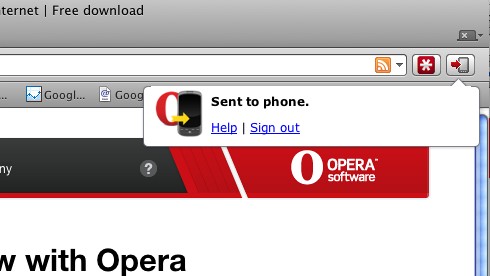
Seamlessly push links, maps, youtube videos, phone numbers and text to copy to the clipboard directly to your Android device.
Description
You also need to install the Chrome to Phone Android application on your phone. The application can be downloaded from Android Market (search for 'Chrome to Phone'). Requires a mobile phone running Android 2.2 ("Froyo") or later.
Features:
- Click the Opera to Phone button to open the current page on your Android browser.
- Click the Opera to Phone button on Google Maps to launch the Android Google Maps App.
- Click the Opera to Phone button on YouTube to launch the Android YouTube app.
- Select a phone number on the current web page and click the Opera to Phone button to launch the Android Dialer.
- Select some text on the current web page and click the Opera to Phone button to copy the selected text to the Android clipboard (long-press on text boxes to get the paste option in Android).
Enjoy ;)
Screenshots
Download
Works with Opera 11 or later.
About this extension
| Downloads | 61,668 |
|---|---|
| Category | Productivity |
| Version | 1.3.4 |
| Size | 17.7 KB |
| Last update | July 4, 2011 |
| License | Full license text |
| Support | Support page |
| Original page | Internet Archive |
All versions
- [email protected] 18 KB
- opera-to-phone-1.3.4-1.oex 18 KB