
Add-ons › Extensions › Tools

RegExpFind
使用regular expression搜尋目前網頁內容。
Description
這個延伸套件讓使用者可以輸入regular expression,找出目前網頁中,符合輸入的regular expression的字串。(其實只是document.body.innerHTML.match做成套件)
使用方法:1.在「正規表示式」的欄位填入想要查詢字串的regular expression,例如:"\w+"。2.選擇搜尋設定(有選g:搜尋所有字串,才會列出一筆以上的結果,m:多行的選項,我不確定有沒有用)3.查詢標的預設是body.innerHTML,可能會查到html tag。此時可嘗試選body.textContent,就不包含html tag了(做document.body.textContent.match的動作)。4.點選「開始查詢」,等待一會,會在下方列出網頁中符合regular expression的字串。
查詢標的:* body.innerHTML: 查詢document.body.innerHTML(包含html tag)* body.textContent: 查詢document.body.textContent(不含html tag)* xpath(text): 對每個文字節點搜尋* complex: 試圖支援跨html tag的文字搜尋(實作稍微複雜,可能有bug)
ps. 我沒有特別處理grouping的部份,而\w為[A-Za-z0-9_](請見ECMA-262 15.10.2.12)
Screenshots
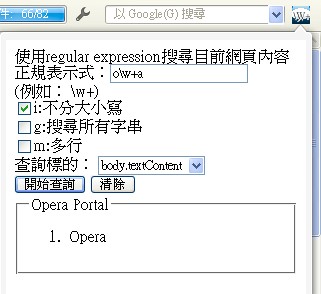
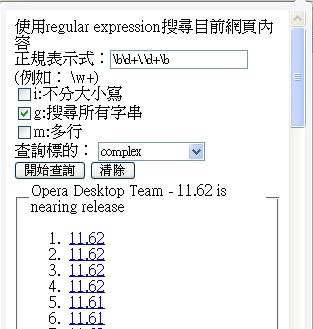
Download
Works with Opera 11 or later.
About this extension
| Downloads | 832 |
|---|---|
| Category | Tools |
| Version | 1.4 |
| Size | 15.4 KB |
| Last update | March 27, 2012 |
| Source | Offline copy of addons.opera.com, June 3, 2013 |
All versions
- regexpfind-1.4-1.oex 15 KB (recovered copy)