
Add-ons › Extensions › Pictures

Similar image search
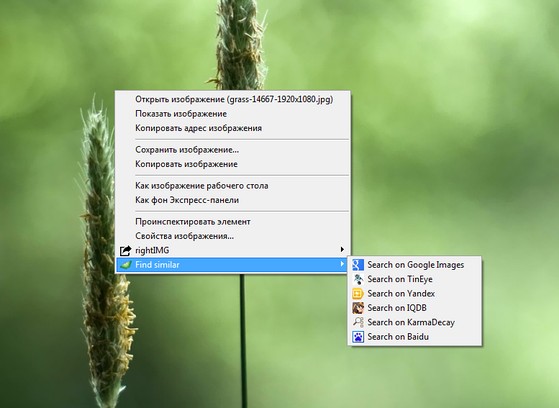
Context menu search for similar images
Description
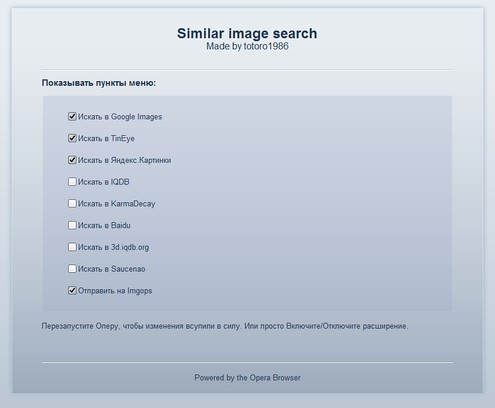
Search for similar images on Google Images, TinEye, Яндекс.Картинки, Baidu, KarmaDecay, IQDB, Saucenao, Imgops.
In order to make it work in Google Images, you need to specify the "Identify as Firefox" in the site settings:
1.Visit the site http://images.google.com/
2.Click the right mouse button or F12
3.Select "Edit Site Preferences..."
4.Click the "Advanced" tab
5.Select Browser identification: "Identify as Firefox"
6."OK"
If that does not help, you should delete cookies
1.ctrl + F12
2."Advanced"
3.Item "cookies"
4.Click "Manage cookies"
5.In the resulting window, locate images.google.com
6.Delete it
7."Close"
8."OK"
Screenshots
Download
Works with Opera 11 or later.
About this extension
| Downloads | 6,180 |
|---|---|
| Category | Pictures |
| Version | 1.1.2 |
| Size | 19.1 KB |
| Original page | Internet Archive |
All versions
- similar-image-search-1.1.3-1.oex 19 KB (recovered copy)
- similar-image-search-1.1.2-1.oex 19 KB