
Add-ons › Extensions › Accessibility

Snap Links
Drag with left mouse button to open links in background
Description
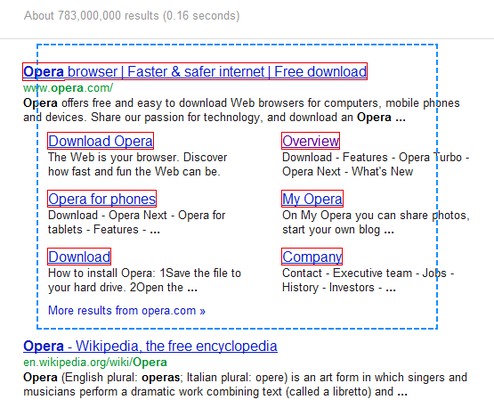
Hold the left mouse button to select multiple links by drawing a selection rectangle around them, releasing the button will open them in background tabs.
Shortcuts:
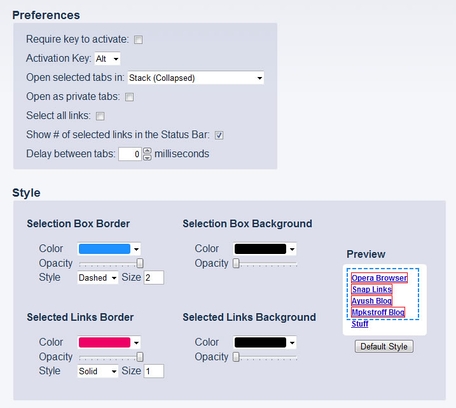
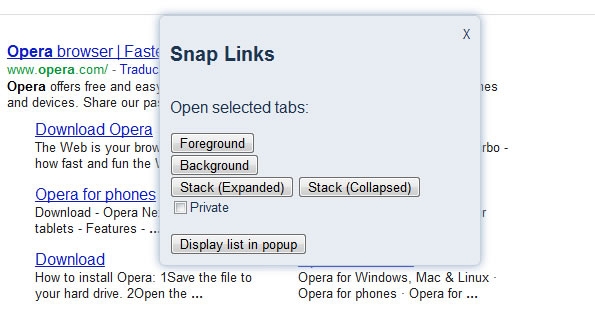
-Hold the Ctrl or Alt key to open the links in a Stack.
-Bigger links have priority over smaller/nested links, hold the Shift key to select all links inside the rectangle.
Text selection has priority over the extension behavior, so draw the rectangle in an empty area.
Copying the links to the clipboard will be added after Opera implements the Clipboard API [ Probably on Opera 12.1/12.5 :) ]
For any questions or suggestions visit the support page.
This is a port of an UserJS made by Ayush, you can find it in the Opera UserJS forum:
http://my.opera.com/community/forums/topic.dml?id=206662
Known Issues:
-Closing tabs opened in the background will activate the last active tab even if you have selected "Activate the next tab" the from Preferences->Advanced->Tabs->When closing a tab, this is an Opera bug (DSK-327967)
-New tabs doesn't keep the zoom level (DSK-333113)
-New tabs are opened with focus on address bar (DSK-365038)
-New tabs are always created at the end of the tab bar, even if "Open new tab next to active" is checked (DSK-366525)
Screenshots
Download
Works with Opera 11 or later.
About this extension
| Downloads | 272,284 |
|---|---|
| Category | Accessibility |
| Version | 1.9.5 |
| Size | 22.7 KB |
| License | Full license text |
| Support | Support page |
| Original page | Internet Archive |
All versions
- snap-links-1.9.5-1.oex 23 KB
- snap-links-1.6.1-1.oex 20 KB