
Add-ons › Extensions › Tools

Sort Search Engines
Sort search engines user added & Create sorted "search.ini".
Description
This extension works on Opera 12.1+.
Description:
This extension makes user's search engines sortable and creates sorted "search.ini"
You can sort by name or drag and drop.
(Default search engines cannot be sorted.)
Usage:
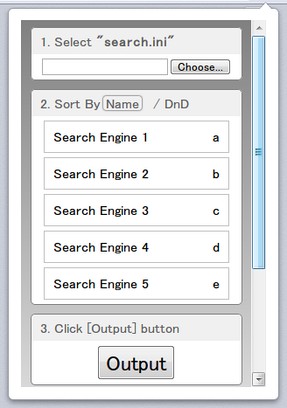
Open the "Preferences" page or the popup window (click the extension button).
In the popup window, some features are restricted.
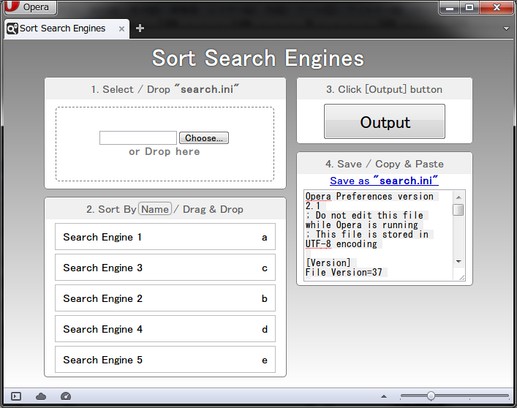
1. Select or Drop your "search.ini" file.
Your "search.ini" is in "Opera directory"(profile directory).
The path of "Opera directory" is written in "About Opera" (opera:about) page.
2. Sort search engines.
You can sort ONLY search engines you added.
3. Click the [Output] button.
It outputs a link and plain text.
4. Save as "search.ini" or Copy & Paste to it.
You can download the text file from the link.
(In this version, you need to Right Click to download and rename it.)
Or copy & paste to your "search.ini" and store in UTF-8 encoding.
Finally, Restart Opera immediately.
If you edit search engines in Opera's GUI after overwriting, sorting is NOT reflected.
Screenshots
Download
Works with Opera 11 or later.
About this extension
| Downloads | 132 |
|---|---|
| Category | Tools |
| Version | 1.3 |
| Size | 13.7 KB |
| Original page | Internet Archive |