
Add-ons › Extensions › Tools

Swiss Knife
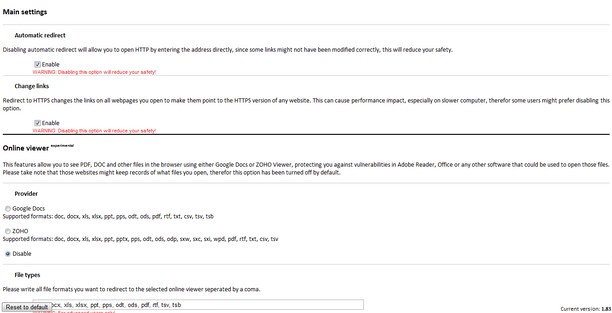
A bundle of all many features, including: automatic redirection to secure webpages; open PDF, DOC and other files using an online viewer; download YouTube videos easily.
Description
NOTE: This bundle includes many features that will soon be removed from Redirect to HTTPS. Use the backup/restore feature to port your preferences from Redirect to HTTPS.
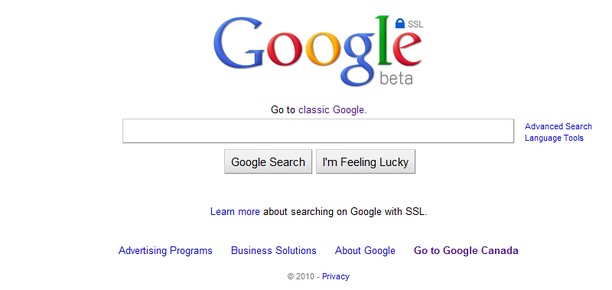
This extension automatically redirects you to the secure version of web pages. It also modifies the links on pages you open to make them point directly to the HTTPS version (those rules can be edited from the preference page).
It also includes a feature that allow you to view pdf, doc, xls, ... files in the browser using either Google Docs or ZOHO Viewer. If the viewer is unable to open the file, it will offer you to open it locally.
Due to incompatibility with most YouTube downloader script, a functionnal version has been included.
Default websites:
* Dropbox
* Evernote
* Facebook
* Google (Gmail, Reader, Calendar, Picasa, YouTube, etc.)
* Hotmail
* New York Times
* The Pirate Bay
* Twitter
* Wikipedia
* Many others
To add your own rule, click "Menu" > "Extensions" > "Manage extensions", then click on the gear beside "Swiss Knife" and click "Preferences".
Please note that SSL connections are slower and that Opera Turbo is disabled on secure pages. Therefor the loading of those pages can take more time
KNOWN ISSUE: The insecure page is still loaded for a few milliseconds, meaning some of your information might still be exposed. Unfortunately there is no way to solve this with the current extension API.
PLEASE REFER TO THE 'HELP' SECTION ON THE EXTENSION'S PREFERENCES PAGE TO REPORT BUGS
Screenshots

Download
Works with Opera 11 or later.
About this extension
| Downloads | 129,790 |
|---|---|
| Category | Tools |
| Version | 2.11 |
| Size | 104.8 KB |
| Last update | July 4, 2011 |
| License | Full license text |
| Original page | Internet Archive |
All versions
- swiss-knife-2.11-1.oex 105 KB