
Add-ons › Extensions › Productivity

The Reminder
Displays notes in your Opera Speed Dial to help you remember stuff.
Description
The reminder allows you to save notes in Opera, and displays them in an Opera Speed Dial to constantly remind you about it.
Features -
1. Simple, Effective Design
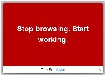
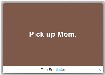
The colour of the Speed Dial changes whenever a different note is displayed. This brings your attention to the Speed Dial, even if you have forgotten about it, and ensures you read your note(s).
2. Easy to Use
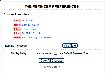
Just right-click the Speed Dial, select 'Preferences' and add as many notes as you want.
3. Customizable
Use default browser font and change the delay between display of each note to suit your preference.
4. Free to Modify
The source code of the extension is available for free and is released under the open source GPL 3 license
Note:
If you enable the 'Use Default Browser Font' setting in 'Preferences', you will have to restart Opera to activate the setting.
Website: http://getreminder.tumblr.com/
Source: https://github.com/thewebdev/opera-extension-reminder.git
Screenshots
Download
Works with Opera 11 or later.
About this extension
| Downloads | 6,692 |
|---|---|
| Category | Productivity |
| Version | 1.2 |
| Size | 28.3 KB |
| Last update | July 12, 2012 |
| License | Full license text |
| Support | Support page |
| Original page | Internet Archive |
All versions
- the-reminder-1.2-5.oex 28 KB (recovered copy)