
Add-ons › Extensions › Accessibility

Touch::Scroller
Brings touchscreen panning support to Opera.
Description
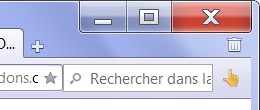
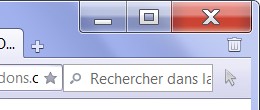
Allows you to pan a web page by sliding your fingers on your touchscreen. Also works with the left button of your regular mouse.The page panning is affected by inertia. If you take your finger off while sliding the page, it goes on panning for a while then smoothly stops. Friction parameter in the option page allows you to tune the inertia (the lower the friction, the longer the page will pan).While in touchscreen mode, text selection is disabled.You can switch between touchscreen mode and desktop mode by clicking the icon.
Screenshots
Download
Works with Opera 11 or later.
About this extension
| Downloads | 6,635 |
|---|---|
| Category | Accessibility |
| Version | 1.3.0 |
| Size | 14.1 KB |
| Last update | March 4, 2013 |
| Source | Offline copy of addons.opera.com, June 3, 2013 |
All versions
- touchscroller-1.3.0-1.oex 14 KB (recovered copy)