

2dARk
My first skin. Its (almost :)) finished. Most of the graphics were made from the beginning or the standard graphics were modified(icons). In the future when i will have a little more time i will m ...
Description
My first skin. Its (almost :)) finished. Most of the graphics were made from the beginning or the standard graphics were modified(icons). In the future when i will have a little more time i will make a white version of this skin.
Little update :)
0.1.0->0.2.0
-Now the colour schemes will colorize only few selected elements
-modified some icons
-added two alternative icons made by MINUS8 for reload and stop buttons - you can make custom buttons with them(alt_reload alt_stop)
-added animated icons for page loading
-modified address bar and tabs for better display
-added scroll marker standard graphics (for now)
-Changed the dial loading image
-few minor fixes :)
-modifications for Opera 10
->0.2.1
-modifications for Opera 10.5
->0.2.6
-Removed some icons
-Modified forward/rewind and few other icons
-Fixed the problem with close button
-changed Search Treeview Window Skin background
-and few other modifications for Opera 10.5 :P
-temporary fix for tab close buttons O10.6
-Added two new icons "Oxygen Down" and "Oxygane UP"
->0.2.7
-Fixed many bugs that occurred on opera 11b
-some icons were changed
When i will have more time i will change/fix the rest
-----------------
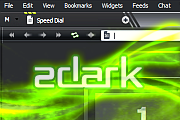
Screenshots
Comments (160 on the original page, latest shown)
Download
Works with Opera 7 or later.
About this skin
| Downloads | 1,372,245 |
|---|---|
| Version | 0.2.9 |
| Original page | Internet Archive |
All versions
- 2dark-0_2_9.zip 988 KB
Great skin, I with the active tab was a little more different from others though.
it!
Thanks artmil, FYI: the icons for Opera Unite and Opera Turbo are missing at the status bar.
Nice work
Ok i've updated the skin. Sorry it took so long... @pseudo555 I need time or eventually some ninja cloning skills @jan1c ye in opera 10.5x they messed up that "option" so i changed the close button... don't relay like it so i will change it again(but it wont be at the top)
First thing I do when I install Opera, get this skin. Opera should just make it standard. One thing though, I remember that the 'X' button on the tabs used to be flat and on top of the tab. Did this change at some point or can I change it?
Any news ? Do you need help ?
Thank You!
I'll make an update soon, be patient
You have to extract the zip, modify the ini file to change the color. I wanted to do that, but the difference between the classic skin from 11.50 and the last version of 2dark are too big for me. So i use classic skin until v0.2.9 or 0.3.0 is made.
Same issue as pseudo555 .. status bar and buttons are black not white, how can I change the skin by my self?
Still ok with 11.50 if you don't look at status bar & buttons (like in the research bar). Might be some work to get it works on 11.50 final (expect 1st july i suppose).
Use this skin since .. since I am using skins! Thanks for your beatiful work!
Отправте панель вкладок на самый верх, как это сделано во всех скинах для opera 11
I like the skin, but I do not want the title bar GREAT work with the skin mate. I really love it, and would use it more often if it weren't for the title bar.
Interesting
To delete, sorry (can't do it)
Thank's for the rollback of both icon This one is mostly perfect ! edit : Same version, just replace the White O by a red one : http://files.myopera.com/pseudo555/files/2dark-0_2_8.zip
Thank's again for the update. Btw, I prefer the 0.2.5 version of lock & icon search. I patch v0.2.7 with the old version
Still have problems with Tab Groups (frame, close button, etc), the bookmarks icon should be a little more brighter, mail check/send icon should be changed, also the new icon in the begining of the address bar should be skinned.