

Benzo Black-Grey
Style of line Benzo for Opera 9.5, with new opportunities of animation of buttons.Adjustments of color of the text for buttons Html-pages. A way to adjustment. 1. The menu of the top panel, ...
Description
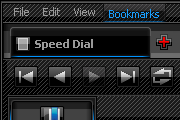
Style of line Benzo for Opera 9.5, with new opportunities of animation of buttons.
Adjustments of color of the text for buttons Html-pages.
A way to adjustment.
1. The menu of the top panel, open (View)>> (Style)>> (Manage Modes...)
2. On the popup window with two tabs (Display) - (Presentation Modes) pick the >> (Display) tab.
3. Cancel - Remove the Tag> (Enable styling of forms).
Now the text on the black buttons is light-grey.
Screenshots
Comments (36 on the original page, latest shown)
Download
This file has not been recovered yet. Do you have a copy? Tell us.
About this skin
| Downloads | 1,074,569 |
|---|---|
| Version | 2.4 |
| Original page | Internet Archive |
Download failed... WHY?? :-(((
Looks great and works great! Thanks
yo baje este skin en el opera pero la intento bajar en mi opera mini y me dice para guardarlo en una carpeta del telefono pero cuando lo busco no lo puedo usar? como hago? o es que solo sirve para el opera y no el opera mini...
una pregunta yo baje este skin en el opera 10 pero la intento bajar en mi opera mini y me dice para guardarlo en una carpeta del telefono pero cuando lo busco no lo puedo usar? como hago? o es que solo sirve para el opera y no el opera mini...
Very beautiful and I recommend that there is a section design, browser opera and have personally designed
Thanks, Ruben Vardanyan. Great attention to subtle detail, very sharp.
Absoulty great! 100/100
eye like
I like it, but I don't know if I'll use it because the entries (pages) in the list when you right-click and turn the mouse wheel (alternatively ctrl-tab) don't highlight very well to indicate which one you're selecting. The text goes grey (from black) which doesn't stand out that well. Perhaps you should make item's background turn dark and the text turn light.
muy bien!!! very good!!!
Well, i guess not. By the way, please do visit me on my profile. And i you have a , can u also share some tips&tricks you've got out there. Thank yah!!!
Well, i guess not. By the way, do visit me on my profile. Thank yah!!!
ok, can i apply this skin on opera mini? Im just a new opera user(mini 4.2)
Thank u
Help
OK, now it's getting interesting. Tabs in 'on the top' mode and 'at the bottom' look different !?
The best skin i found on the net I have 3 sugestion 1. Why StatusBar has 44 pix height? I use Status bar, but on netebook screen hight is realy valuable so i made it smaller. (buttons on it are cut a bit but for me its ok) [Statusbar Skin] Type = BoxTile Tile Center = pagebar/addressbar.png Margin Top = -1 Margin Bottom = -1 Padding Top = -8 Padding Bottom = -8 2. Hight of the Adressbarr is also to big in my opinion (i know it look a bit worse now, but the usage is much better) [Addressbar Skin] Type = BoxTile Tile Center = pagebar/addressbar.png Margin Top = 2 Margin Bottom = 1 Padding Top = -4 Padding Left = 9 Padding Right = 3 Padding Bottom = -2 3. I used scroling knob style from Benzo Infiniti and i think it looks much better now I liked benzo infiniti but on my vertical tabBar i could place only 20 tabs, with benzo Blac-grey i can put 30 :-), and progress bar text color was to dark to read it. In total: Style realy good, Benzo Black-Grey + Bezno Infiniti is the best ever Keep working like that
Excellent work. Very nice button animations.
ёу... Пацаны реальная тема... аж семки просыпал 8)