

Breeze Simplified V4.22b
A very screen-space efficient and clean/minimalist skin for V8+. See http://nontroppo.org/wiki/BreezeSkin for more details. 05.05.05: minor updates.
Description
A very screen-space efficient and clean/minimalist skin for Opera V9.x. See
http://nontroppo.org/wiki/BreezeSkin
for more details.
June 2006: several fixes and optimisation
Screenshots
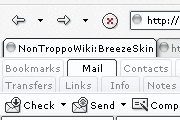
Comments (19 on the original page, latest shown)
Download
Works with Opera 7 or later.
About this skin
| Downloads | 280,872 |
|---|---|
| Version | 4.22b |
| Original page | Internet Archive |
All versions
- breeze_simplified_v4_2-4_2.zip 159 KB
- Breeze Simplified V4.13.zip 163 KB
- Breeze Simplified V3.8.zip 197 KB
- Breeze Simplified V3.5.zip 195 KB
- Breeze Simplified V3.1.zip 215 KB
- Breeze Simplified.zip 177 KB
I use 4.21 of this as it seems to be more efficient in the height of the tabs (I use tabs on the right, not the top) which is the single most important thing for me.
The only skin I use.. thanks. It's perfect
great skin!! but a couple of icons don't load. i am using opera 9.10 and these icons don't show, "Note Web" "Highlight bookmark" "Missing bookmark" i am using the "Star" bookmark button in my toolbar, Button11, "Star"="Highlight note, , , "Note", "Note Web" | Highlight bookmark | Add to bookmarks, , , , "Missing bookmark"" after opening skin.ini, it looks like that paths to the icons are wrong, Highlight bookmark = buttons/highlight_bookmark.png Missing bookmark = buttons/missing_bookmark.png there is no "/buttons/" folder in the zip. instead, i found the icons in the "/icons/" folder and changed the paths in the skin.ini. Highlight bookmark = icons/bookmark_visited.png Missing bookmark = icons/bookmark_new.png and now it shows up. i'm looking forward to the next version, too!!
very nice @ beuteyfull thanks opera
5 stars! LiteraryMoose, _plz_ keep up the good work. Sometimes I think the skin is better than Opera itself... well, at least it provides the Opera user with an interface of _zero_ distraction and _great_ usability. Kudos! W/o Breeze, your famous skin, the Opera would be only half as good. Youer, YBK
Thx a lot to made update for Opera 9!I can't imagine Opera without this skin,really nice work!
Great skin. Can't imagine Opera without it ;-) I look forward to seeing new Breeze Simplified for Opera 9.
A verry elegant skin. The best choice if you are using masses of buttons
Very nice and minimalistic. I like having my Opera as compact as possible, and this skin is excellent for that.
Not bad skin.. but I have to say that Dimmed skin owns it. It looks more modern, and is sort of cleaner.
heh forgot to vote. Incidentally it seems that the trashcan is from the original skin?
Very, very nice. It certainly makes Opera look sleeker, would be nice if this were the standard skin.
using the personal bar on the right doesn`t work please confirm,but on 4 pcs it reacts the same no prsonal bar on the right but would still rate this skin in the top ten .
Simple, perefect in space use, clear and clean, couldn't be better, why I overlooked it before I cannot say. Thanks. Menno
What a nice skin :-) I love minimalistic, and this skin is very cool!
DougBTX: If you comment out lines 202-210 in skin.ini (the lines that begin "Tile" or "Corner" under [Selector Button Skin] section - use ";" or "#" to make it a comment) - that will remove the borders on the panel buttons for you.
Hay, Can you do a version up without the borders around the panel selector buttons? Beyond that, I like it - using at the moment, will see how it goes Douglas
The nicest and most space efficient skin available. Very effective, understable icons, light. The Breeze Simplified Native is as good as this one..