

Candy
Candy skin for lastest buildUPD RC2
Description
Candy skin for lastest build
UPD RC2
Screenshots
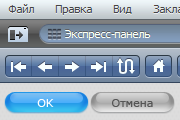
Comments (20 on the original page, latest shown)
Download
Works with Opera 7 or later.
About this skin
| Downloads | 97,099 |
|---|---|
| Version | 1 |
| Original page | Internet Archive |
All versions
- candy-1.zip 859 KB
Спасибо, красивая темка
чо я не могу ее загрузить????
Спасибо, красивая тема с хорошим оформлением, а то все чурки делают только черные и белые speeddialы.
Супер
I have opera 10.10 beta, and gap is still present. I don't like dialog background. Would be much nicer in dark gray... buttons are too mac-ich. Other than that... beautiful skin!
Very nice skin, but there are still problems with missing/hidden tabs mentioned above even with Opera 10 final.
Cognito2, install Opera 10 beta2/3 and reset addressbar to default
well done! Yet, as pointed out by Konic above, i also have gaps between the buttons, as opposed to the image here. any way to put them together??
I get it now. It wont show the 4th tab.
First time I comment on a skin because its really nice. But for some reason I have to click 'open in background tab' twice for it to work and then the same tab opens twice.
Bravo dude.. great work !! This is one amazing skin.. just blends fine in any background... I have a Zune Desktop Theme on Windows XP and this one looks just cool. All the buttons are in the default view are so nicely organized.. Infact I would love this to be the default skin !!
I really like this skin. One minor thing would make it perfect for me. I don't like the fastforward and rewind buttons, so I remove them. When I do so, the back button is not rounded so it looks a little "off" since the refresh button at the end of that segment is rounded. Thanks for your work on this.
hey!! awesome skin man!! and i am really picky.
заебца!
really nice!! but as usual using the rewind/forward button with drop down menu breaks the beautiful buttons setup. the update button does not look good in mail view, because it's the same as the reload butten, because there is no button on the left side with other rounded edges. same goes for stop button. don't know if its a feature or a bug, but hovering over a button in the opera windows (like open/close in settings) makes them unreadable (white on white). keep up the good work! /g..
Just love it, very smooth.
Konic, install last snapshot (1631-1643)
But I do have gaps between navigation buttons! How come that on the picture there is no gaps?!
veeery coool!!!
cool