

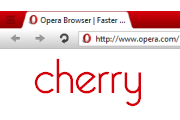
cherry
Cherry Aero now available! Get it here:http://my.opera.com/community/customize/skins/info/?id=9671Tips:1. Restart Opera before using.2. Calibrate your monitor: http://www.photofriday.com ...
Description
Cherry Aero now available! Get it here:
http://my.opera.com/community/customize/skins/info/?id=9671
Tips:
1. Restart Opera before using.
2. Calibrate your monitor:
http://www.photofriday.com/calibrate.php
3. You can change the skin color under Appearance > Skin > Color scheme.
4. You can add more color schemes:
http://my.opera.com/Tamil/blog/more-color-schemes-in-opera
Tested on Windows Vista.
1.7 Changelog:
- Fixes (hopefully) to floating buttons.
- Adjusted spacing within tab
- Decreased min tab button width
1.6 Changelog:
- Drag-bars work again for Tab-bars not positioned at the
- Closed Tab button background weirdness is now gone.
- Increased tab padding because some large favicons (like bing's) got too close to the edge.
1.5 Changelog:
- Major update - I realized my monitor wasn't calibrated very well, so all the colors were darker than intended. I suggest you check your monitor's calibration too :)
1.2 Changelog:
- Reformatted search field
- New radio buttons
- Changed a few text colors
- New pagebar thumbnail grip
1.1 Changelog:
- Head and Tail buttons are now easier to click.
- Tab bar better aligned with panel bar.
- Push buttons have been revamped.
- Panel buttons have become more interactive.
- Speed dial icon changed to b&w of default.
Screenshots
Comments (79 on the original page, latest shown)
Download
Works with Opera 7 or later.
About this skin
| Downloads | 331,567 |
|---|---|
| Version | 1.7 |
| Original page | Internet Archive |
All versions
- cherry-1_7.zip 447 KB
"You can just change the color scheme in Appearance if you don't like red." Oh, cool, didn't know that. Than this skin is even better (hower I thought red suits it best) My only other complaint is that it's not super clear which tab is active, -it should have more of a standout look. (like colored text or something like that)
deben usar 10.51 o 10.52, con versiones anteriores se ve mal http://imgur.com/FavXg.png
You can just change the color scheme in Appearance if you don't like red.
This is the ultimate theme if you like Opera-red! A bit too much for me to use in the long term, but I really like it for what it is. The best red theme I've seen. 5 stars for that!
Truly beautiful.
ahora funciona con la version 10.51
Love the skin!! It's amazing. Only problem is the missing text in Appearances/Preferences boxes.
Needs to be updated for Opera 10.5! Also, can we get a transparent color scheme?
I am also waiting for a version that is compatible with 10.50. Staying with 10.10 until then!
Originally posted by yakodzun1: i waiting for 10.5 version too +1 One of the best skins gj
i waiting for 10.5 version too
Good job! 10x a lot!
ベリーナイス 大満足
Please make this available for 10.50! I love this skin, and it would look fantastic with 10.50's new skinning capabilities!
Hey, can you make the inactive tabs fade (darker) like the cherry-crimson skin: [url] http://my.opera.com/community/customize/skins/info/?id=8893
yeah, missing text is only problem.
waiting for 10.5 version
Very nice skin
So nice
+1 for loaded tabs in background indicator Btw the Visual Tabs seem to be incomplete.. I didn't use it though, just to inform