

Comfortably...
Comfortably..., my first skin. For Opera 7.5, including large images.
Description
Comfortably..., my first skin. For Opera 7.5, including large images.
Screenshots
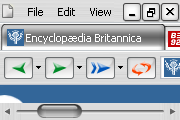
Comments (29 on the original page, latest shown)
Download
Works with Opera 7 or later.
About this skin
| Downloads | 301,193 |
|---|---|
| Original page | Internet Archive |
All versions
- comfortably___-1_0.zip 297 KB
- Comfortably....zip 297 KB
Like everybody here (I bet;)) I change skins all the time. But the skin I almost always come back to is this one. It's good looking, easy to understand, very economic with screen space and unintrusive. About the only thing I can suggest as an improvement would be to put the panel toggle arrow in a color that stands out a little bit more, but I'm really splitting hairs there! Great job and five stars!
Since the release of Opera 9.20 final, I cant find any tab close buttons, one of my favourites
Hey, very nice work. Elegant. Thank you.-
Lookin' good. Still I am amazed that I find a known icon on your tab bar - www.B92.net
One of the best.
freaking elite man. my default skin!!!!
I like this skin for its soft brushed look. I regret however that my Go and Clear next to the URL bar do not seem to be boxed. Also next to the Search bar the Go and Clear should be able to be boxed with icons in it. I have an icon editor and I could make the icons boxed; but how do I integrate them into the zip file. The Go and Clear text icons are from the Buttons Customisation site from Opera. Also I would like to reduce the text size in my Personal Bar (bookmarks), and at the same time reduce it's height. Also there is too much space waisted for the height of the tabbar. Maybe I'll put all these questions in the Opera forum. Anyway nice skin. Here's a screenshot
hey dushan, nice work, while agree with all the kids that appreciate the compact, efficient, and pleasant design, I like to spell the word correctly - aesthetic peace.
In my opinion, the tab cycling isn't done visually very convenient, so if you also want to improve it: 1. Close Opera 2. Open "Comfortably....zip" 3. Open "skin.ini" (in the zip archive) 4. Find "[Toolbar Button Skin.selected]" 5. Here, change "Tile Center= caption/blank.png" to: "Tile Center= border/simple_border.png" or another png that you like, but this one does fine 6. Start Opera, press rmb+mouse wheel with a couple of background tabs, enjoy
could you just improve the page cycling in future versions? I mean when you press rmb+mouse wheel, it's hard to identifly the currently selected tab. Still, good job.
what I wanted to say is, this is without doubt the best one I found... messed up the rating earlier, sorry...
very stylish the skin, but i had one problem with the "save" button under opera 8 for windows. it wasnt shown in a box like the other buttons. here my workaround: go to your opera skin profile (eg: C ocuments and SettingsYour NameApplication DataOperaOperaprofileSkin) unpack the "Comfortably.zip" file open the "skin.ini" file search (ctrl + f) for "Save document as.large" and change it to "Save document.large" save the changes to "skin.ini" repack all previously unpacked files to "Comfortably.zip" and replace the old zip file with the new one enjoy your new "Comfortably" save button look =) 5 stars for the original skin, 6 for the new one
This is by far one of the best skins I've seen. I use it. It's great. It's...comfortable! And fun to look at. Great job!!! Make some more
Five stars from Germany!
Looks and works great one OSX.
SUPERB skin
this is one that i can see the most text on tabs, and certainly prefer it greatly for ease of visibility and not being cluttered, busy, or wonky (as in it's EASILY understood what the icons mean, AND they use only a smidge of space doing it)... liking this muchly, it's my default now! pauline/moncton, nb, canada