

D.T.A. (Opera 9.5+ skin) Slim
A slimmer version of the beutiful D.T.A. (Opera 9.5+ skin) skin. Toolbars are slimmer and eating much less pixels. Also added hover highligts on buttons. * 08/05/06 updated removed some visual g ...
Description
A slimmer version of the beutiful D.T.A. (Opera 9.5+ skin) skin.
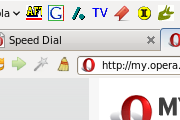
Toolbars are slimmer and eating much less pixels. Also added hover highligts on buttons.
* 08/05/06 updated removed some visual glitches and made e little bit less pixel eating.
Screenshots
Comments (15 on the original page, latest shown)
Download
This file has not been recovered yet. Do you have a copy? Tell us.
About this skin
| Downloads | 15,531 |
|---|---|
| Version | 2 |
| Original page | Internet Archive |
I love it! That´s the skin I will use for a long, long time!
I can deal with skin pretty well. Now because of black icons in Opera 9.5 I hope you will do something with the Folder icon, like sub-folders under Bookmarks menu. Then it would be my hands down favorite.
I don't seem to be seeing any 'hover highlights'... other than that, a very nice skin
great skin.....i use it for a long time
Thanks for this, nice work.
This is the most beautiful skin I've seen for *any* browser, ever. Wonderful job. Clean and simple. This is my new skin forever.
Rocco has made it again! Thank lord for your gordeous grapixxx!
I gave a 4+ The shaded effect for the active is just nice! Well done, thank you!
Yes that fixed it Strange bug.
OK, I found a fix for this, it's kinda strange that it is this way but: Go into custimize->toolbar, then check "Show hidden toolbars while customizing", then select the addressbar, and then Large images is probably check there for you. This strange thing is that the setting doesn't affect the progressbar, if one have the progressbar inside the addressbar it the "large image" setting should be the same for the normal addressbar. Bug I guess.
Sorry can't seem to edit my posts. That glitch only occurs if I have the progress bar set to show inside the address bar. If I have it set to simple the icons look fine.
Something wrong there. I use the address bar and when a page is loading the large icons reappear until the page loads.
Good point Rocco, forgot about that setting.
If the icons are too big, you problably have selected large icons on that toolbar.
Nice Not too keen on the background used in the preferences window, but can live with that. Had to reduce the icon size to 60% as they are too big for my liking. Other than these 2 things, very good.