

GNOME Opera 1.1
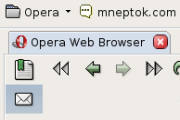
A simple, usable, and and clean skin that brings familiar GNOME icons, buttons, and widgets to Opera. This version brings a full M2 icon set, fixes, UI tweaks and more. The GNOME user's skin of choice
Description
A simple, usable, and and clean skin that brings familiar GNOME icons, buttons, and widgets to Opera. This version brings a full M2 icon set, fixes, UI tweaks and more. The GNOME user's skin of choice
Screenshots
Comments (24 on the original page, latest shown)
Download
Works with Opera 7 or later.
About this skin
| Downloads | 157,805 |
|---|---|
| Original page | Internet Archive |
All versions
- gnome_opera_1_1-1_0.zip 275 KB
Gnome is the only Opera Skin I use and it's great. Is it possible to make the toolbar background color white? I would really appreciate a response. Thanks.
LOVE the tab design but dislike the gnome 1.1 icons, a version with 2.0 icons would be great.
Very cute!
Hi, as I indicated in PlastikOpera's comments ( http://my.opera.com/community/customize/comments.dml?id=3336 ), it follows Fitt's law that lets your mouse reach the vertical scrollbar when you throw it to the far right of the screen, there's no 1 pixel border. This is similar to how the panel bar at the left of Opera opens when you swing your mouse to the far left and click it. Caould you implement this too? It's the only reason I use PlastikFox over any other skin.
Nice skin! Nice work!
Please read comments!
Great and so professional looking skin! One thing I don't like is white colour of selected menu, but I can live with that.
Very nice skin! And also i prefer this menu hover color : #0080FF
I've switched to this skin recently, and it's great. One improvement I'd like to see: the pale blue of the current tab is very, very close to the grey of the other tabs. When I've got 20+ tabs open at once, figuring out which one I need to close can get fiddly... Could the blue be darkened a few notches in the next version? Thanks!
Can you make a native version of that skin? Pleease! It would look great when Gtk style is set to Default or Redmond!
Zmark233 did you read posts right above?
Love this skin. I prefer that the menu at the top didn't go white when hovering. However, I have this as my default skin. Thanks!
love it..thanks
1. I think there's a bit too much padding on some toolbars, most notably the Navigation Bar 2. In the navigation bar, it is impossible to distinguish between elements that are enabled and not. Other than that, I absolutely love this skin.
Love the update - the tabs work on bottom now! The only thing I like more about the old one, was that the transfer button was a down arrow (making it look very cool in next to the back and foward buttons), and I think the new Top 10 button sticks out a bit much from the rest of the skin, being bright red while the other buttons are a softer, less glaring color. Other than that, I love it - thanks for fixing the bugs I pointed out to you!
Yeah Guys, I'm on Windows too. I can manually 'fix' the colour directly in the GNOME Opera 1.1 skin.ini file ( [Menu Button Skin.hover]/Text Color resource, which is set to #ffffff - white), or just uncomment next line - 'Color'. This changes background colour to some grayish one and 'white' text will look OK. But it will be my skin now
towolf and konic: I use Windows and the hovered menus still show in white.
A fantastic skin. I love it ... Interestingly, I find it looks good even on Mac OS! Excellent job....
konic: Qt is drawing your menus. Check kcontrol or qtconfig for the color scheme of your Qt style.
DJ SkaM, Your tabs issue has been fixed in this most recent release. Please install v1.1 and let me know if you're happy. ./k