

Google Chrome Grey 1.2
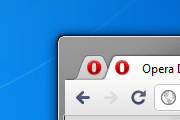
A skin mimicking the latest default Google Chrome skin.Changes in 1.2- speed dial more gray and more native to opera- new chrome-like web/secure/trusted badges and icons- extension icons ...
Description
A skin mimicking the latest default Google Chrome skin.
Changes in 1.2
- speed dial more gray and more native to opera
- new chrome-like web/secure/trusted badges and icons
- extension icons now styled like other buttons
- native tab hover thumbnails
!!!IMPORTANT!!! - If your menu button has text then right click it, Customize, select Appearance, then in Style change the value to "Images only".
Screenshots
Comments (20 on the original page, latest shown)
Download
This file has not been recovered yet. Do you have a copy? Tell us.
About this skin
| Downloads | 107,503 |
|---|---|
| Version | 1.2 |
| Original page | Internet Archive |
Cool skin! Thanks!
Beautiful skin
This seems to work fine on 11:50. Nice one!
This looks great! but I have some suggestion for it Try not to copy the whole thing out of Chrome try adding something to it Transparency: You might want to add a little bit of transparency to it, make it look smoother Color: Grey seems kinda dark and not lively I suggest go back to blue, or light blue Others than that, the skin looks perfect P/s: Sorry for my english
Thank you, for version 1.2! It looks very good on Opera 11.10 Beta!
thx for your hardworking! there's still a problem in opera v11 ---the menu icon seemed not quite suitable. if you fixed that your [Google Chrome Grey] skin will be really fantastic!!!
Yo...thanks for the skin Mr.Alexander Futekov I simply love this skin...this one has improved from your prev ones.
no New Tab button!
Sorry, I forget something: There is no problem with TabStacking with the standard skin or any other skins.
Hi, I love this skin, but there is a problem with the new TabStacking in Opera 11. The skin don't works with the preview pictures, if you activate this feature: opera:config#UserPrefs|UseThumbnailsInsideTabs Please, fix it. Thank you very much.
Hi, I too would like to see an update for Opera 11 as the the Web global security button in the address bar doesn't fit properly. Thanks.
Hi do you plan to update this fantastic skin for Opera 11 ? This will be a good moment to fix the "bugs" of Alexander
Alexander, thank you for your skins! I've been using them since the Blue version 1.x. Recently I have fallen in love with the Chrome's "Robot Theme, inspired by Android™" ( https://chrome.google.com/extensions/detail/oeljdmeofcikjblcoehpmdnooimalbmj ) and I was wondering if it would be too difficult to convert it for Opera. What do you think?
Please fix the menu icon in Opera 11
Thank you!!! Looks very good !!!
dude skin is brilliant but needs some improvements: http://a.pix.ge/l/ejqwm.png
nice!
Thanks a lot for the new grey skin However I've some suggestion - not all the skin uses the gray gradient (statusbar, panels backgrounds, etc...) - background tabs could be better with a semitransparent background (aero effect) bye
Very wonderful skin I hated the old blue version
Nice!