

IBIS inspire Super Light
The Light version of IBIS inspire (ver.2.6).
Description
The Light version of IBIS inspire (ver.2.6).
Screenshots
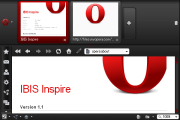
Comments (20 on the original page, latest shown)
Download
Works with Opera 7 or later.
About this skin
| Downloads | 45,969 |
|---|---|
| Version | 0.5a |
| Original page | Internet Archive |
Super fast reaction Thanks!
o.k. added "Bookmarks" icon.
Great skin. Though, there is the "Bookmarks" icon missing. (Opera 10.50.3206 here)
Many Thanks ki-to !
o.k. adjusted for 10.50.
Yes, please, I would love to have it updated for 10.5...
Can be updated for Opera 10.5 pre alpha ?
Many thanks ! Great skin
o.k. updated ver.0.45!
BTW, Opera Unite button in the status bar is missing! =)
looks good man, nice job!
o.k. updated ver.0.4!
thanks for the reply ki-to. what i mean for #1 is this http://i37.tinypic.com/2hgxvtv.png
thanks. about #1, i am not good in English. i cant understand the contents. sorry... about #2, you can change it with "skin.ini". skin.ini is in skin's zip file. in the section of "Speed Dial Thumbnail Image Skin" and "Speed Dial Thumbnail Image Skin.hover" reduce the value of Padding Left, Top, Right, Bottom, so the outline will be thin.
Great skin. There's a couple things that bug me about it though: 1. When viewing the thumbnail preview of (hovering over) a tab the picture is outlined in white, which in addition to being ugly and not consistent with the other colours of the skin, makes the text in the preview window very hard to read (grey on white). 2. The Speed Dial buttons are reduced in size and a thick red outline is present whenever a Speed Dial button is moused over/selected. I think it's unnecessary and ugly, and it's bugged me to the point of not being able to use the skin anymore. Other than that, this skin is amazing. There's not nearly enough 'dark' skins, and this is definitely one of the best.
Thank you so much for fixing the close button. And also thank you for the tip on the custom buttons. Excellent update and great skin.
about close button fixed it with ver 0.2. thanks. about custom buttons you can change icon of the custom buttons to edit toolbar.ini. ex. the Go To The Top Of The Page button "Top"="Go to start, , , "Top", "Up Arrow"" -> "Top"="Go to start, , , "Top", "Sort ascending"" ex. the Go To The End Of The Page button "End"="Go to end, , , "End", "Dropdown"" -> "End"="Go to end, , , "End", "Sort descending"" you can change your favorite icon. icon image name is set in skin.ini.
My last post isn't letting me edit, so I'm adding a new post. On closer inspection there are a couple things about the skin that may need some attention. 1: The closed button(x) does not appear on the tab currently selected. You can still click the right top corner of the tab and it will close, but it's not visible. The x is only visible on the unselected tabs. 2: Some of my custom buttons are hard to see on the status bar. For example, I use the Go To The Top Of The Page and the Go To The End Of The Page custom buttons on the status bar, and they show up as a dark grey with this skin. I can see them barely. But it would be nice if they would show up the color of all the other buttons on the browser(like the panel buttons, forward & back, etc). But that's not a huge deal though. Overall, it's a beautiful skin. Thanks for your work.
Very nice. I prefer the Super Light version. Thank you.
ki-to Thanks to the wonderful work! my desktop http://s56.radikal.ru/i153/0909/b5/ea7732c0d718.png