

Kawii
Inspired by the Internet Channel on the Nintendo Wii, this desktop skin (for 9.6 only) tries to keep it simple, fresh and clean. This is a beta with some issues that will be fixed (hopefully) soon ...
Description
Inspired by the Internet Channel on the Nintendo Wii, this desktop skin (for 9.6 only) tries to keep it simple, fresh and clean. This is a beta with some issues that will be fixed (hopefully) soon. Please comment wishes, bugs and of course praise.
"Panel toggle" needs to be active for the skin to look smooth. (Tools - Appearance - Panels - Panel toggle checbox)
Update:
Missing icon for adding new tab is in place.
Popup trashcan replaced with smaller icon.
Added filter icons for mail.
Added sync status icons for mail.
Added Link folder icon.
Fixed dropdown arrow icon error.
Added ignored mail icons.
Added disconnected icons.
Made skin future proof.
Another update:
Brushed up quite a bit of the icons.
Fixed lacking generic tab icons.
Fixed menu bar.
Update #3:
Removed junk files
Fixed tab cycler highlighting
Made active tab more visible
Fixed broken security styling
Sharpened some icons/buttons
Fixed transfer complete icon misalignment
Fixed missing links active icon
Update #4
Fixed missing Networks tab in Site preferences
Colored some dialog icons
Minor icon stuff
Screenshots
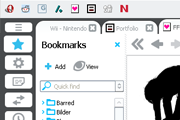
Comments (47 on the original page, latest shown)
Download
Works with Opera 7 or later.
About this skin
| Downloads | 1,293,479 |
|---|---|
| Version | 1.4 |
| Original page | Internet Archive |
All versions
- kawii-1_4.zip 226 KB
scary maze game
fantastic:D
wow i love it! this is really KAWAII LOL
谢谢你的努力~
can i preview this skin first?
Thanks for all the feedback. I'm currently on paternity leave and don't have at all so much time on my hands I thought I would. However, now that Opera 10 is out, I will try and fix this skin. There are quite a bit of new stuff in Opera 10, so it can take some time to get into so bear with me.
cool theme...I'm using it now.I like it very much...
Light blue text on withe background is not very readble.
Nice. But I wish the active tab was more noticeable. Also, please note that the "Extender Menu icon" is missing for extra-long toolbars: Tools >Appearance >Toolbars >Wrapping >Show Extender
ооо супер скин лёгкий! thnx!
I love this skin -- it's the first & only one I've bothered to install -- but every time I delete a bookmark from a folder, all of the bookmarks in that folder lose their star icons & are no longer displayed correctly. It can also be a bit difficult to see which tab is active when you have several tabs open - is it possible to highlight the active tab more aggressively, or "grey out" the inactive tabs?
i like it too!,thanks
Nice skin. I like it.
Hi, I love this skin because tabs still look ok when displayed vertically (ulike other skins when they appear to be connected to address bar). Anyway, the standard bar has a different shade of grey than the rest of the skin, can this be adjusted? by standard bar I mean the one with 'file', 'edit' and so on. One other thing is that I think it might be better to have all user interface windows displayed in grey so that they'd make a grey frame around displayed webpage. Right now the address bar has white background and so does email client. Perhaps it is too much hassle but as an idea I think it would be clearer Well, thank you very much for the effort! For me it is the best skin for Opera
I like it!
This is by far my favorite skin to date. Thanks so much!
Just wanted to say I love this skin. It's so clean and simple. Great work, keep it up!
Christian, can you make the tabs have the same length, like with the default Opera skin? I find it more practical like that. Cheers!