

Look 'n' shout
Elegant, visually pleasing and not-so-screen-efficient breezey skin.This skin is no longer updated! Give Dance 'n' shout a try. ...
Description
Elegant, visually pleasing and not-so-screen-efficient breezey skin. Compatible with Opera 9 and Web Developer Toolbar.
List of changes in this version
at the
official Dance 'n' shout page
.
New!
Tangoish version of the skin -
Dance 'n' shout
.
Check also the
Type 'n' shout
set of one-key keyboard shortcuts.
Look 'n' shout derives from the
Breeze II and Breeze Simplified skins
by Non-Troppo and is blessed by himself. Some dialog icons come from the trendy
Tango Project
. Smilies and some contact icons come from
JAJC
.
Screenshots
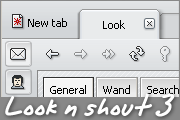
Comments (35 on the original page, latest shown)
Download
Works with Opera 7 or later.
About this skin
| Downloads | 37,378 |
|---|---|
| Version | 3.6 |
| Original page | Internet Archive |
All versions
- look__n__shout-3_6.zip 193 KB
I absolutely love this skin. Breeze was too miniature for me but this is just perfect. Good job, sir!
Very nice, clean skin. I don't the stop button - you could change it somehow. Anyway, thanks for your job.
Originally posted by Darken: v3.6 => support for Speed dial? (skinned) No, it's not skinned. It's the default look which happened to be very looknshoutastic.
v3.6 => support for Speed dial? (skinned) Nice works and thanx for the update.
Nice update, thanx!
Originally posted by cenebris: Looks awful when tabs are at bottom Just a quick note for those who think the same: have a look at the alternative version of the bottom pagebar .
I still don't like the buttons but nice job with the new version, I'll use it for a while.
Thanks Darken, I see you are a fan of it.
Wonderful skin! Nice update.
I wouldn't say they look awful - when placed at the bottom the tabs mimic the style of the toolbar buttons. In some ancient versions, when the bottom ones looked different, there were some glitches which were really hard (impossible?) to fix. Maybe I'll try to solve this issue in a different way but I don't promise anything. You could use the 2.0 version , though the skin has changed a lot since then.
Looks awful when tabs are at bottom, when tabs are on top everything is ok. In some previous version it was ok both when tabs were at bottom or on top. Could it be repaired please? Checked under last stable releases under XP and Linux. Thank you. PS Most wonderful skin I've ever found Looks great under XP and KDE. Any idea about it under Vista?
What an awesome skin! It's just right. We can navigate with no more than enough direction to get us where we need to go while allowing us to concentrate on the page contents. The active tab stands out perfectly. Thank you, I love this skin.
Great, simple skin
I like the skin, so elegant and clean!
Originally posted by non-troppo: the new fraud check icons do not distinguish between a verified and unverified site They did - one was green, and the other was blue. Anyway, I've modified them to be boring and conventional . You know, question marks and such. I've also managed to bypass the dropdown glitch.
the new fraud check icons do not distinguish between a verified and unverified site - this is important to do! And the dropdown glitch is annoying - why not revert to other styling? The new dialogs are cool though, and it just keeps getting better!
Originally posted by quiris: I've found a glitch in dropdown buttons. I am aware of this but can't do anything about it because of the way in which Opera themes dropdowns. Take a look at the default skin or any other skin which uses backgrounds for dropdown buttons and you will notice the same glitch (an additional requirement is that the dropdown itself has a 'non-standard' size).
I've found a glitch in dropdown buttons. Take a look at a screenshot: http://files.myopera.com/quiris/misc/dropdown.png
So have this little shredder. (…) OK, i know, still not there. But the icon is quite nice in my opinion. It looks a much better Not perfect, but a much better Why do those poor sites which didn't have the pleasure of being introduced to the TrustWatch have to be symbolised by a suspicion-arousing question mark? Hmm... What about taking into consideration a yellow colour like TrustWach? IMO the colors should match to avoid confusion
Thanks Darken and others. Enjoy! Originally posted by quiris: Fraud protection "i" icons should have a much more contrast or rather the question mark should replace "i" mark. Why do those poor sites which didn't have the pleasure of being introduced to the TrustWatch have to be symbolised by a suspicion-arousing question mark? Besides, the question mark just didn't fit in this small circle (was too blurry) . Originally posted by quiris: There is a little problem to distinct between "?" site and "i" site. There is no problem if you are not colourblind . Originally posted by quiris: The same trash icon used for spam and delete button isn't brilliant unfortunately. It's confusing So have this little shredder . I hope it is worth the time I spent thinking how to turn the idea of spam into its 16 px wide and 16 px high graphical representation . OK, i know, still not there. But the icon is quite nice in my opinion.