

M6Black. Project:Global Warming
One of the best skins in the world. Professional graphics. 100 percentage compatibility with Windows Vista.----------------------------for Opera 9.5x----------------------------see my pr ...
Description
One of the best skins in the world.
Professional graphics. 100 percentage compatibility with Windows Vista.
----------------------------
for Opera 9.5x
----------------------------
see my previous skins at
http://my.opera.com/community/customize/skins/author/?id=ar_malikin
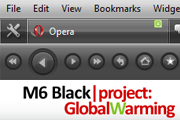
Screenshots
Comments (32 on the original page, latest shown)
Download
Works with Opera 7 or later.
About this skin
| Downloads | 312,688 |
|---|---|
| Version | 8 |
| Original page | Internet Archive |
Thanks for this skin. The look is great. I had to make some tweaks though and thought other people would like it so I posted it to the skins list. I hope you don't mind.
Very good skin, thanks
Superb skin.... My Opera looks simply fabulus with this skin on.
в папке "buttons" замени рисунки "push_button.png" и "push_default_button.png" на такие какие тебе нравятся (из других шкур, например) кнопки закрытия вкладок находятся в папке "pagebar_close_button" - "close.png", "hover_close.png", "pressed_close.png" в общем, редактирование шкур в Опере требует усидчивости, желательно знание английского и навыки работы с изображениями... здесь много инфы например: http://operawiki.info/ToMu
отличный скин!!! Действительно лучший. А как поменять цвет кнопок? (Зеленый раздажает) спасибо
cool , 쿨하다 , 酷呀!
Спасибо, скин очень понравился. Продолжай в том же духе! Удачи!
Спасибо, скин очень понравился. Продолжай в том же духе! Удачи!
can i run it on xp i dont have os.
I love it, I just don't get why it is black text in the Personal toolbar, or so light grey text on a finished transfer and in-page searching so you can see nothing.. <_< should be easy to fix?
thanks
Beatifully conceived skin,congrats!!!
You must change skin.ini in *.zip archive. But the author (Artem) should modify the skin itself. [Personalbar Skin] Fallback version= 3 Type= BoxStretch StretchBorder= 1 Tile Center= backgrounds/mainbar.png Text Color= #ffffff [Personalbar Skin.hover] clone=Personalbar Skin Text Color= #9EE02C [Personalbar Skin.pressed] clone=Personalbar Skin Text Color= #000000
I love this theme! The only problem I have is that I use the personal toolbar for bookmarks that I use a lot, which has black text with a black background, making it impossible to read. Is there any way to change the font color to white?
Not bad, but many small bugs: 1. Main bar text is black in dark background 2. In progress bar "pop-up at bottom" text color is black in black background! 3. In progress bar "show inside address bar" text color is black in black background! Maybe address bar is too wide?
Not bad skin, good update for standart 9,5x series skin
Thx, working! Спасибо, работает!
найди в skin.ini секцию: [Personalbar Skin] Fallback version= 3 Type= BoxStretch StretchBorder= 1 Tile Center= backgrounds/mainbar.png вставь сразу под ней например вот это: Text Color= #ffffff [Personalbar Skin.hover] clone=Personalbar Skin Text Color= #9EE02C [Personalbar Skin.pressed] clone=Personalbar Skin Text Color= #000000
Awesome skin! Отличный скин! Somebody knows how to change color of font in personal bar ? Кто нибудь знает как сменить текст шрифта на личной панели ? Я так думаю что в skin.ini но найти не могу я там, еще лучше чтобы сказали как сделать чтобы менялся цвет при наведении мышки. http://ipicture.ru/uploads/080801/QFnz0wNj4e.png
Awesome skin and awesome look and feel Thanks for contribution!