

MoonLight
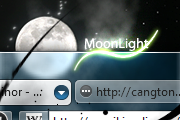
Based on the Z1-Glass Opera skin and the Cangton Software UI.Moonlight is a unique skin featuring transparent backgrounds and elegant black-colored buttons. A dark night in which the wave ...
Description
Based on the Z1-Glass Opera skin and the Cangton Software UI.
Moonlight is a unique skin featuring transparent backgrounds and elegant black-colored buttons.
A dark night in which the waves of a pool where reflecting the subtle light of a full Moon and my piano inspired me to create this skin :)
Hope you will like it :)
It's a beta version so some elements won't be skinned. I will keep releasing updates so be sure that you don't miss them :).
I'm currently working on the tabs, buttons, and radio buttons in order to appear in a non-native way :)
Screenshots
Comments (30 on the original page, latest shown)
Download
Works with Opera 7 or later.
About this skin
| Downloads | 549,407 |
|---|---|
| Version | 1.3 |
| Original page | Internet Archive |
All versions
- moonlight-1_3.zip 1.6 MB
Has some problems with texts with some websites(flash websites i saw untill now). It whites the text to almost pure white #ffffff, it's like a gradient. Default text is black and the skin makes it white so that i can't be read.
Works on Opera 11.01.
This is very nice. I can't wait for a Opera 11 version : )
Nice skin, thanks!
Looks great! My favorite skin for sure
Next time submit a finished skin.
the close button is still somewhat displaced to the top and hard to find. this only applies if thumbnails are enabled in tabs (@DoTheEvolution). furthermore if thumbnails enabled, the glow gets the same color as the tab background when choosing another color scheme. /g..
Skin updated, now it have glowing tabs ;)
i love the skin, but i think the close tab button still doesnt work as well as i hope it to. hope you can fix that
once you have chance the buttons then I will use it ( I think the standard buttons is goog)
low visibility of the scroll slider or whatever its called can't wait for gloving tabs
Skin Updated! Now, close button is correctly placed, some icons have been added, the dialog page background was changed, tabs marked as "attention" are now skinned and more. :) I'll make glowing tabs for the next update so don´t miss it over, it should be ready in 2 days :) Hope you will like it
Very nice update, like the image used in menus wow, I did not even realize that the close buttons were hidden until I tried to test the issue about which g2spot wrote. I was just assuming I turned them off and I was using middle mouse to close... But to me the close button and active tab indicator looks well placed.
Nice!
Good work. Please skin the newly added bookmarks bar in the next update. Also make the position of the downarrows (in tabs) such that it overlaps exactly with the close button.
Thanks g2spot and kyotocafe for the feedback, I'll take it into account
Thx. Very well done. Whith the tab bar placed on the side, the icon indicating the currently open tab is somehow misplaced. It's too high above and too far right. It should be at the same place as the close tab icon. on the panel bar, in my opinion it would be enough to have the dark background to indicate which panel is selected, the white triangle does not add any functionality. Furthermore it would look more consistent if while hovering the panel icon the edges on the right side of the hover background are not rounded. /g..
What about the new bookmarks tab?
Skin updated. In the next version I'll try to introduce glowing effects on tabs and new icons. Any feedback is welcome
Ok, I will release a new version in 12 hours Hope you will like it. It includes some changes on: Scrollbars Main Menu icon New buttons New dialog page background New dialog page tabs I'm still working on new icons, but, I can't create a design that fits the skin. Any idea or contribution will be greatly appreciated Please give feedback in order to improve the skin Thanks!