

Opera Standard Slim
Use Opera Standard Slim 10 skin for Opera 10.Opera Standard skin with Smaller toolbars. (For normal toolbars, use Opera Standard M ...
Description
Use
Opera Standard Slim 10
skin for Opera 10.
Opera Standard skin with
Smaller toolbars. (For normal toolbars, use
Opera Standard Modified
skin.)
Grey color active tab.
More visible lock icon for inactive tab.
Yellow attention color.
Grey color scrollbar. Thanks to
rseiler
.
Opera Standard skin
Opera Standard Slim skin
Opera FAQ's, Tips, Tricks & Tweaks
Updated for 9.60 on Oct 8, 2008
Screenshots
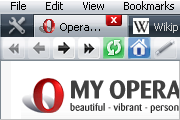
Comments (42 on the original page, latest shown)
Download
Works with Opera 7 or later.
About this skin
| Downloads | 137,954 |
|---|---|
| Version | 0.17 |
| Original page | Internet Archive |
All versions
- opera_standard_slim-0_17.zip 426 KB
It worked fine up to opera 11 beta. But with the latest non-beta opera 11, the search bar from the right-top corner is no longer shown. You see only an empty space. When I switch back to the opera standard skin, the search bar is seen. Can we please have a fix for this issue? Thank you
fyi in Linux 64bit the toolbar search button and new tab buttons look horrible - might be a kde thing
I Found My New "Standard Skin"!
This skin looks fine when the address bar is set to default settings, but its broken if you have it set to "Images and Text Below". The buttons are cut off on the top and bottom because of the margin settings.
Congurlations Tamil.
Excellent job! This saves so much room for browsing that was wasted in the standard theme by the thick toolbars. Thanks Tamil.
In v10, the Standard skin now has a resizer control to the left of the search box. Do you think you could liberate that for this skin? Thanks.
Great skin... However, when I turn wrapping on, the Panels button and the New tab button resize to the original height. I poked around the skin and managed to get Panels button look better, but found no cure for the New tab button...
Fantastic, awesome, here's a beer!
Great improvement over the official skin! Perhaps better with a non-white background in speed-dial (black, grey, silver...)
I've noticed the newer versions have white pixels in the corners of some input boxes (search, address, etc). I'm sticking with the older version for now until it's fixed. Still a great skin, though. Five stars.
Nice skin, thanks!
Congrats Tamil. This is the one I use daily. Unfortunately, V 0.17 doesn't seem compatible with 9.6 final. The menu bar and dialog boxes are all black. I can't figure out what's the issue... For the moment, I have to stay with 0.16.
thx for updating to 9.60b1!
You can easily find the line when you reach start/end of a long page without searching. Skin updated & now you can see scroll marker.
I don't exactly understand why anyone would want to use the new "opera:config#UserPrefs|EnableScrollMarker" pref in 9.60, but it doesn't show up with this skin, for whatever reason.
Exactly what i was looking for, thank you.
Currently, skin files are not with me. I will list when I get skin files.
Re that last sentence, it's "intended," not "indented" (not sure how I did that). It's probably just a matter of a single number somewhere. Tamil, could you list the sections that pertain just to the new horizontal spacing/scrunching? There are many changes between the last two versions, and I'm hoping to isolate just that one change from the others.
I still think 11/15a > 15/15b. Less spacing may work on the address bar but not on the personal bar, most notably when text is used in addition to icons on the personal bar. BTW, 15/15b introduced a thick line under the address bar (and pushed the bar itself down a peg vertically), which is probably not indented.