

Opersia: nowRouz
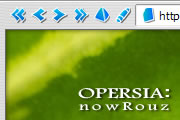
Once again Opersia is back with an updated look but the same old sweet feel. Skin name of this version - nowRouz - comes from Persian new year event which is resurrection of nature in start of green...
Description
Once again Opersia is back with an updated look but the same old sweet feel.
Skin name of this version - nowRouz - comes from Persian new year event which is resurrection of nature in start of green spring. Literally it means 'New Day'.
Happy spring! Happy Nowrouz!
Version history:
v 3.2.2 [Oct 27, 2008]: Fixed Opera 9.5 compatibility problem. Very thanks to Sam (http://my.cn.opera.com/River.burn/info/) for his smooth guidance in the comment.
v 3.2.1 [Jun 30, 2006]: Minor improvements.
v 3.2 [Jun 30, 2006]: For Opera 9. New icons, New Pagebar style when placed at top.
v 3.1.3 [Mar 21, 2006]: Minor improvements and fixes.
v 3.1 [Mar 21, 2006]: Added Opera 9p2 8303 support.
v 3.0 (nowRouz) [Mar 20, 2006]: For Opera 8.5. New icons + New background, Updated and better appearance.
v 2.1.1 [May 8, 2003]: Enhanced look + A minor fix, Tabs are now cool buttons similar to
hotlist. Also will seem ok with large fonts.
v 2.1: Updated to support Opera 7.10 release + some minor changes.
v 2.0.1: Minor bug fix, now looks fine with menubar. disabled.
v 2.0 (holySeven) [Mar 20, 2003]: For Opera 7.
v 1.0 [Dec 22, 2001]: For Opera 6.
Screenshots
Comments (46 on the original page, latest shown)
Download
Works with Opera 7 or later.
About this skin
| Downloads | 588,160 |
|---|---|
| Version | 3.2.2 |
| Original page | Internet Archive |
All versions
- Opersia: holySeven.zip 300 KB
Great Skin Thx!
Yes, the next one will feature larget icons. Thank you
This is a nice skin. Can you make the icons larger, 120%? Through Tools> Appearance > Icon size I can do it, but doing that doesn't make icons clear.
It is a long time passed since the last skin version and I am thinking on a new design and release, however I have so little time these days. I hope I can do it almost soon!
Hi Sam, Thank you for your kind comment. I applied the fix to the skin source so everybuddy can download the fixed version
Your skin is incredible. Not only is it handy, compact and smart, but it's beautiful and pleasing to the eye. advicable for anyone working with a small laptop screen. I don't want to monopolize your skin, but for those having problems with opera 9.5 and his skin, you have to do the following to get the and buttons like they are supposed to be. 1) go to C:\Documents and Settings\\Application Data\Opera\Opera\profile\skin 2) look for the zipfile: opersia__nowrouz-3_2_1.zip 3) unzip it 4) go in the folder, look for skin.ini and open it. 5) you'll see that one of the first lines is: [Info] Name= Opersia: nowRouz Author= Mohammad Amroabadi Version= 3.2.1 You need to change the version to 2: [Info] Name= Opersia: nowRouz Author= Mohammad Amroabadi Version= 2 6) save the skin.ini file, close the file, and zip it back. MAKE sure that you zip the files and folders, i.e. the contents of the folder, contrary to the folder itself. (the root of the zip file needs to contain the skin.ini file). 7) rename the file opersia__nowrouz-2.zip 8) close opera, restart opera, and select the new skin. behold the new tab and panels buttons are how they are supposed to be. once more, thank you for the wonderful skin
Beautiful my friend قشنگه پسر
Will it be updated to fit Opera 9.5? O:-)
Thanks much! --syncalt
Fancy kind comment, thank you :-)
Well, I just installed Opera. I'm kind of a "customization freak", so of course the first thing I did was to search through tons of skins. I found some of them more or less ok for my tastes, but lacking that something special, the "wow" factor. And suddenly I stumble upon this one. And I must say: I always thought of something heavier, a wooden texture or similar (like the ones I used on Firefox before), but this is a pleasant surprise: elegant, sophisticated, light and robust at the same time; beautiful texture, colors, buttons, an example of refined taste indeed. I seriously doubt that I will ever switch to any other skin. Congratulations.
Thank you for your usage and comment. I haven't tried Krystel yet, and have so little time for upgrading the skin right now, though I hope I'll do it soon.
Great skin! One question, Ctrl+Tab doesn't show a hilite graphic in opersia under Opera Kestrel 9.5, any chance of a fix? Also, dunno if its possible, but it seems like menus can be skinned in Kestrel too.. Thanks for this, been running as standard for almost a year. Cheers!
jalebe
This is the BEST !!!
:-)
One of my favorite skins!
My pleasure :-)
Sweet skin! 5 stars instantaneously!
Happy that your doubt turned into belief ;-)