

SSK Dynamic Dark
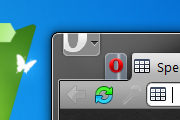
Key features:-Opera 10.5 support;-Animated attention state of tabs;-Rounded text fields;-Big and colourful buttons.Dark version of the original
Description
Key features:
-Opera 10.5 support;
-Animated attention state of tabs;
-Rounded text fields;
-Big and colourful buttons.
Dark version of the original SSK Dynamic Skin.
The skin is based on the Opera standard one and uses elements, icons and ideas from c00, ccc-g-1, dance and shout, d.t.a, tango and few others. I'm open to ideas for improvements.
Screenshots
Comments (29 on the original page, latest shown)
Download
This file has not been recovered yet. Do you have a copy? Tell us.
About this skin
| Downloads | 136,030 |
|---|---|
| Version | 1 |
| Original page | Internet Archive |
Thank you my default skin
What do I have to change in this skin to have not 2 but 1 pixel above buttons in top right corner of the window so I could use them as always not looking at them? http://files.myopera.com/Xeophyte/files/2%20pix%20close%20buttons%20ssk.png
Hi, You using sky dark clouds background image (instead of Opera by default white) when NOT using speeddial and opening new tab. Can you please step-by-step write how I can change this background image? Tryed in skin file (after unzipped) put another picture with name background (before deleted yours sky) and ten zipped again, but nothing happens and even skin gone. Like your skin very much, but love to put my background for new tab.
Uhm, is there a changelog for the updates? Do you post them at you MyOpera Blog?
Thank You !! Thank You !! Thank You !!
Due to popular demand I've upgraded the skin to match the level of ssk dynamic 2.9 I'm happy that you like it
Oh, this one doesn't match the Original Dynamic Fact #1 Pin tab is supposed to remove the label of the tab and just leave the favicon Fact #2 This one, has the Title Bar, the Dynamic doesn't have
Hmm, not bad, but the pin tab still shows a lock on the tab . . . .
cool!
This is the finest skin of any browser IMO. Every time I open Opera I marvel at how beautiful it is! Could you please update it for 10.5, since I do not like the element of unsettledness of your animated tabs in your dynamic skin, I much prefer this skin. Thank you for giving us that option.
hi very nice skin! I like the colorful icons as well as the rounded corners on entry fields very much! in speed-dial the top and bottom margin seems to be smaller than the left and right margin. this looks weird on pages with full colored background. also in speed-dial the border is partially overlapping the second digit on two digits numbers (best visible on no. 10). /g..
I Have a problem in speed dial thumnails....
Thanks for a great skin, however: I get no shadow effect in speed dial. It looks like it did before, aka broken :/ I have checked "Enable special effects" aswell.. Any idea?
Hiya Sasko... I have made some mods to your skin... I hope you don't mind... http://files.myopera.com/liga2r/files/Mod_ssk_v7_2-7_2.zip
Hey Sasko... Nice Work! This should be the Opera Standard skin! I still prefer the older icons, but I can change this, the rest is very very good!!
I'd like to thank everybody for the precious feedback and the pieces of advice for the skin - they were all very helpful. The skin is now version 7.2, the majority of the icon issues are fixed and the speed dial is completed. I hope you find it refreshing and alive as I do. Your feedback and criticism is welcomed.
The nav buttons are better in 7.1 - but the glasses suck. The binoculars were far superior. I'm not too crazy about the 'ninja' contacts button, but can live with it. When you have the panels tool bar position set to "top" (in other words there's a line of panel buttons horizontally across the top of your mail or bookmarks or whatever panel instead of vertically down the side) the widgets and unite panels are too tall, so a wrapped line of panel buttons looks goofy. The Windows trash can disappears against the mail panel background and so should be scrubbed. Go back to a more visible trash can - like the one in the mail tool bar. Icons in the mail panel and mail tool bar should match, not differ. This skin shows a lot of promise - it responds to many of the criticisms I have made of both the Standard and Windows Native skins. It is more space efficient, more visually user-friendly, does not look foreign to Windows, and yet has a distinctly "Opera" flavor.
Hi Again... I just reloaded v5... and it is better than the v6... why change the icons and add the colour?
Here is a snapshot of it... http://files.myopera.com/liga2r/albums/828353/Clipboard011.jpg
Hey Nice skin... great. But, why add the yellow star for bookmarks? Also, can you make the speeddial the same as in this skin... http://my.opera.com/community/customize/skins/info/?id=8164 It would be the best if you got do this!