

Windows Media Player 11
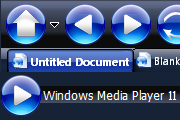
Skin based on Windows Media Player 11. Updated 5/24/06 to a better version.
Description
Skin based on Windows Media Player 11. Updated 5/24/06 to a better version.
Screenshots
Comments (46 on the original page, latest shown)
Download
Works with Opera 7 or later.
About this skin
| Downloads | 443,277 |
|---|---|
| Version | 1.5 |
| Original page | Internet Archive |
Can you please update this skin for Opera 9.6?
BEST SKIN EVER. Butons are really not large, you can set the size in settings. I done it to 50%, now it looks perfect, way better than those minimalism skins. Right now I'm trying to add background image to speed dial - after this i doubt i ever change it, unless update will follow.
This one of my two favorite skins. I don't think the buttons are too large. My other favorite skin is "Shadowguard". Thanks for your efforts! - augustwest
There is a massive flaw in your skin that is going to cause me not to use it. If you fix this flaw I will use this skin. The progress bar does not work with this skin. when using this skin I have no idea what the progress of this are and that bugs the hell out of me. Fix this please because this is a nice skin.
Nice, now I have to work out if I'll keep this one or use Mirage Tango Fusion.. Hmmm how to chose?
This is HUGE!
Que ningun hispano usa opera??? bueno pues este skin esta muy bueno es genial excelente Simply beautifull!
Great skin!! This one is has a look that is entirely unlike any of the other hundred or so skins I've tried out. My favorite by a lo-o-o-o-ng ways.
i admired the skin especially for the size of buttons and glossy shine and colour...THANK U!
Any chance to get a progressbar on downloads in the small version?? And any chance to get the textcolor of requeststatus made white be be seen on the statusbar?? Otherwise its a tremendous skin Thanks Ruben
I just love this skin, been using it for about 6 months or so now and have yet to find one that looks any better. I was wondering though I have replaced the Bookmark stars with a 1x1 pixel to try and move the text to the far left but doesn't seemed to have worked. It looks like a left margin is in place when the star .png is removed. Is there a way to remove this? Andy
I think I figured it out. The washed out tab comes if the tab bar is situated on the bottom instead of the top, left or right. Don't really know why, but I'm sure that will lead you to whatever the answer is. Gadgetman
I have the same problem with the tab. However, I think this skin could grow on me. I like the idea of the black/mirrored/glassy look, but I just haven't found one that I like yet. This is probably my favorite so far. I like smaller buttons but think you should just do it in another skin and not modify this one. I can understand why some would like the larger buttons. Here is a screenshot of my Opera with the tab issue. http://files.myopera.com/gadgetman/albums/174318/myoperascreenshot.jpg I kind of like what the author of the WMP11 skin did with his tabs. http://files.myopera.com/gadgetman/albums/174318/myoperascreenshot2.jpg Your tabs don't have the glassy look, but I still give it 4 stars. Kudos!
Love the small Icon version - but why does the progress bar on transfer not work correctly?? Its always dark, no visible growth, only % settings Ruben
Fist time posting here great skin gave it 4 stars. One thing I thought looked kind of weird was the slider on the scrollbar.Other than that it looks great I like the small version as well.
I like it very much, but the icon is too big. I resize some icons from 42x43 to 21x21 in the shin, now it looks better. Thanks the original author. pls find at http://my.opera.com/tytyty/homes/files/windows_media_player_11-1_5_small.zip
Great skin, definetly one of my favorite ones. Although I understand how some may say that the icons are too big, I love having the large icons, they look good, and have a sort of "mac-y" feel. Love the colors of the skin and everything about it, a job very well done.
I really DO love this skin. I have gone through all the ones available for download, and I must say that this is, by far, in the top 5%. I do, however, have one issue that I would like to see changed if possible: I like to have my PANELS open at all times. But when I leave them open the PANEL buttons look funny. I hope I can describe this well enough.... the PANEL buttons seem "transparent." Because of this transparency, you can see the "lined" background bleeding through the buttons. Could it be possible to have the "background" in this area one solid color, so that the PANEL buttons appear a bit clearer? The lined background really interferes with the overall look. Aside from this one issue, I think it is perfect! As far as the buttons being too large, it is not a problem at all for me. I have mine set at 60% and they look great.
This skin is awesome! Well done, I love the huge buttons.
Nice dark skin ! From the begining I resize the buttons at 70% or 80% and it's great except one thing :When for example i am in the appearence window with the skins tab highlighted the letters inside it are black.This makes no contrast with the blue font of the tab.It's difficult to see.Why didn't you leave the letters white as in the tab bar??? Anyway apart from this the skin is great and i give 5 stars! (The black letters are not a reason to drop the rating to 4.)