

WinVista LE Classic
Winvista LE & Opera M2
Description
Winvista LE & Opera M2
Screenshots
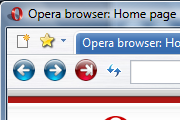
Comments (101 on the original page, latest shown)
Download
Works with Opera 7 or later.
About this skin
| Downloads | 980,495 |
|---|---|
| Version | 3 |
| Original page | Internet Archive |
All versions
- winvista_le_classic-3.zip 511 KB
What about the new display tabs?
Doesn't support 10.5's "Opera button".
nicely done, thanks
simple & beautiful. works if you have the tabbar to the left. great work
well done,i love it
Got 9.5 with its new skin - promptly changed to yours! The default skin's not too bad, but it's heavy and dark - this one's much better.
Very nice skin! Thanksss!
Thanks for all the comments, I really appreciate them. I plan to update the skin again, once I get the new scrollbars completed. Stay tuned! Cyro
Really looking nice.
Rhank you, Cyro. I appreciate you making this skin.
cool man!
Good
While the image bug is not fixed I am currently using Ghost Vista (http://my.opera.com/community/customize/skins/info/?id=7830). I like WinVista LE Classic more, but images make me crazy. These two skins in mot look the same. Stil Ghost has better images
5 stars from me too. Great theme I also have the bug that OK_pal mentions above. If you can fix it, it would be great
s;lnmb;smb'smb
hey, just go tried this great skin But I got some bug found any advice is accepted. I am using 9.26 version, but it has a 'vista circule image' bug in the tabs. I've checked it on 9.5 Beta icon is great. See the picture, so you can understand what am I saying about. http://www.picatom.com/g/opera-6.html Thanks)
hey i am using windows 2000 SP4 and opera 9.5 beta and when I installed this skin all that happens is the tab things at the top changed colors and got shorter. is this cuz of my computer?
explosive, It's in D:\Program Files\Opera9\profile\skin\winvista_le_classic-2.zip (with adjustments for your set-up, of course - and is it '-2'?). I'm using this and very good it is too.
dis is a kool skin hey ppl when save the skin were does it get saved in??
@murlidhar: Here opera:config#UserPrefs|ShowMenu