

Z1-Glass
"Now even more naked!"Z1-Glass is for Windows Aero. There may be bugs and transparency won't work with other OS. It's recommended to use "large icons" for toolbars.More information a ...
Description
"Now even more naked!"
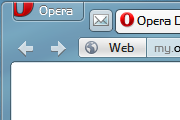
Z1-Glass is for Windows Aero. There may be bugs and transparency won't work with other OS.
It's recommended to use "large icons" for toolbars.
More information and screenshots in
Z1-AV69's blog
.
Known Opera bugs with transparency:
- text in pdf plugin can be transparent. Workaround: Open pdf in application. (The setting is in: preferences>advanced>downloads>search for .pdf.)
Changelog:
v 4.10
- fixed a statusbar text issue
v 4.07
- fixed new tab clickable area
- fixed infobar button spacing
v 4.06
...
v4.00
- complete rebuild from Opera 11.50 (swordfish) standard_skin
- borderless addressbar buttons
- new tabs
- modified "featherweight" icons
- and much more...
v3.13 can still be downloaded
here
.
Screenshots
Comments (943 on the original page, latest shown)
Download
Works with Opera 7 or later.
About this skin
| Downloads | 4,470,129 |
|---|---|
| Version | 410 |
| Original page | Internet Archive |
All versions
- z1-glass-410.zip 1.2 MB
- z1-glass.zip 1.1 MB (recovered copy)
Nice but how?
So cool.
Really like this skin, however it has a very annoying issue: when setting up Opera to use plugin to display PDF: either the PDF contents (with Adobe Reader) or the toolbar buttons (with PDF-XChange Viewer) are kind of dimmed and hardly visible. When reverting to Opera's default skin: everything is back to normal (no dimming)
hey dude, i pritty much like your skin! but i just wanna know one thing: how to change the "opera-menu-button"? cant find the right folder for customization. thanx a lot
its cooool
Pls add it to https://addons.opera.com
This skin is simply awesome! Here's a suggestion: could you replace the RSS feed icon in the address bar with the one from Opera's default skin? It's the only icon that looks misplaced in comparison to the others, which are the default ones.
Another issue I found: the transparency is present when viewing pdfs and makes them very difficult to read. This also happens to the downloads page but I don't find that to be much of a problem. It is a problem with the pdfs though.
Another issue I found: the transparency is present when viewing pdfs and makes them very difficult to read. This also happens to the downloads page but I don't find that to be much of a problem. It is a problem with the pdfs though.
Is there any way to remove the scrollbars from the mail pane? Everything is large enough that they should have disappeared and they do not show up in other skins.
This skin is awesome, I never seen any problems with Youtube as some people pointed. But transparent objects in Java and PDF yes. But I found a workaround for transparent text in PDF: Uninstall Adobe Reader and install Nitro Reader. There's nothing saying it work on Opera in their site, but it does. It also seems to be faster than Adobe Reader.
I can't grab scroll bar when cursor is max on right (full screen mode)
Please, help me! How to turn off a glass frame (like in default skin)? This frame looks horrible on pages with dark background.
Mmm... very nice. Better than the "V glass" or whatever it's called.
Best skin ever, even among skins from other browsers! This is why I always prefer opera, for the best skin/addon/speed etc. among rivals! Good job~~!
Z1 glass is the best skin for opera,it should be made ass default skin fo r opera!!!running windows 7
@Z1-AV69: thanks!
My favorite skin, one of the set of things I install on any new instance of Opera I install, along with the ExtendTube and open-on-long-press extensions.
An update for 11.60&12.00 may take a few more days. The update of Z1-Ultra is already out, you might try it until then: http://my.opera.com/community/customize/skins/info/?id=11492 @Rich: It's from Vista, try http://www.codegazer.com/vistaglazz/
Griassti! Beautiful Skin I think but as I only get a preview I can't be certain. I'm running Win 7 64 and Opera 11.52 build 1100 When I attempt to download your skin I get : incompatible skin : unable to continue : please select a skin made for your version of Opera. So what am I doing wrong? I read other are using the same version so ???? Sog's mi bitte! Pfiati! h