

Z1-Ultra
More radical version of my Z1-Glass skin with less solid parts. Warning! This is not for crowded desktops.Z1-Ultra is for Windows Aero. There may be bugs and transparency won't work with other ...
Description
More radical version of my Z1-Glass skin with less solid parts. Warning! This is not for crowded desktops.
Z1-Ultra is for Windows Aero. There may be bugs and transparency won't work with other OS.
More information and screenshots in
Z1-AV69's blog
.
Known Opera bugs with transparency:
- text in pdf plugin can be transparent. Workaround: Open pdf in application. (The setting is in: preferences>advanced>downloads>search for .pdf.)
Changelog:
v1.23
- minor fixes for Opera 12 build 1417+
v1.22
- fixes for Opera 12 build 1380+
v1.21
- more polishing
- speeddial without text
- fixed dropdowns
- changed search box
- fixed pagebar head buttons
- more minor fixes
v1.20
- update for 11.60 RC+ (build 1181+)
- some polishing
- fixed menu-button when maximized
- fixed mail compose
- fixed zoom menu button
- some new icons
v1.15
- update for 11.60+ (build 1145+)
- new mail view
- new (preliminary) mail panel
- fixed addressfield
- icons from 11.60
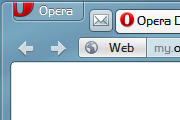
Screenshots
Comments (65 on the original page, latest shown)
Download
Works with Opera 7 or later.
About this skin
| Downloads | 235,546 |
|---|---|
| Version | 1.23 |
| Original page | Internet Archive |
All versions
- z1-ultra-1_23.zip 1.2 MB
All scary maze games collection at scary-mazegame.net
Hi, what do you think about equalizing the Progress bar's color to the Address bar's - I think this may look cool but I can't do it myself. And have a nice Friday
Looks kinda sassy
Hi. There is a flash settings problem with your Z1-Glass & Z1-Ultra themes here... http://my.opera.com/community/forums/topic.dml?id=1497542 do you know of a fix to keep the flash settings box from becoming transparent and unusable?
Редкое гавно!!!!!
Muy buena, funciona perfectamente en Opera 12.00 Final, ahora estaré esperando este maravilloso skin Z1-Ultra adaptado en forma de tema en la nueva pagina de temas...
Disturb!
Pls add it to https://addons.opera.com
Zmk-SuperStar ranishe buv tut dezain s zapros za 119.000 piplov znachit komanda bula pliz meik a grin fon agein if ani self naw meikin dizain rekwest Zmk-SuperStar
Fink pipl mast now oll rial maniest Opera iz a rialaizest sekuriti dah from MIA mast bee than LJ from Geonis Sekuriti & mail.ru krown from Geonis Romulas Sekurity & Antihrist Romulas Sekuriti i fink Opera mast krown from MIA tu not komerczial rial liket a match strongest elektronikali hostidge den mail.ru and LJ self rial interst elektronik sekuriti komand onli 1.000mk.1.5.16.2.112 ekzample till 1.000mk.1.5.16.2.112.14 for self and enade Maiorotan tu rial wont Opera like rial Opera till oupen sekuriti sesion in brauzer from ao 1.000mk komand rial interest for self dont now portugal & spor & sport naw england rial bed now golander dont remembe ani match nowned me lang iz rial rus naw rus slavon maybe plis ketch adekvat my rekvest interest 1.000mk till spesial maori kombat not onli elektronik sesion maybe evil maori prizoner shoters & evil serios maori prizoner shoters my sukora member like Avtor Prizon Jail but potential older serzhant Sobor shoot shut der betest but rial like not onli interest like kontakt till my order shoot potential plis eny how intrukt me how make dezin Zmk-SuperStar der in Opera
Working perfect on Windows 8 Consumer Preview! Thx a lot!
I use your Skin with Windows and it looks perfect. Now i tried Ubuntu with Opera and use a skin without transparent effects to fit the ambiance theme. But i miss my speeddial without text und I would be glad if you could tell me how you have done it. It should be the same as in Windows. My English isn't the best, so please correct me if something sounds too wrong.
Would it be possible to add white font colour for the old bookmark bar? It's transparent like the new one, but the fonts there are black which makes it completely unreadable...
Buttons in address bar still don't show any difference between pressed and unpressed states. Changed [Addressbar Button Skin.selected] Clone = Addressbar Button Skin To [Addressbar Button Skin.selected] Clone = Addressbar Button Skin.hover
This is perfects, except that it doesn't show the webpages in a rektangular windows, the corners are rounded. That looks awesome, until you open a page that is not white. Then white stripes will show at the side of the page. Sorry for my bad english
@Z1-AV69: The problem is caused by setting the bookmarks bar on left. The same situation happens when it's on right. Position of the tab bar isn't relevant at all.
@Sérgio Capela: I think I can revert that next version. @Artur Skorupski: I cannot reproduce that. There was a big change in 1.21, but I never got the button partially hidden. Can you figure out what exact speeddial/toolbar config does it?
There's another thing need to be fixed in the 1.21 version of Z1-Ultra skin. The 'Configure' button on Speed Dial is partially hidden under frame of tab ( http://files.myopera.com/skorupski/Z1Ultra/tab-bar-on-right.png ) or edge of browser window ( http://files.myopera.com/skorupski/Z1Ultra/tab-bar-on-top.png ).
The last version breaks buttons on address bar. Sample is in -> http://files.myopera.com/durtro/files/sample.jpg In the sample version 1.21 is above 1.20 and as can be seen the JS button appears as pressed in 1.20 but not in 1.21.
@AmiDream: I didn't test anything on Win8 yet, maybe when the beta comes. It could be the whole transparency thing doesn't work in 8, I don't know.