

SubVid
Create sub-titles for your videos with ease.
Description
Originally submitted for a Chip.de contest - "CHIP Wettbewerb: Barrierefreies Internet".
You can add or edit sub-titles to your videos using this application.
Key benefits:
1. No uploading required. Simply open your videos already on your computer.
2. Immediately edit and save .srt files (sub-title file)
3. It is free. No need to purchase additional software.
Instructions:
1. Install the application
2. Configure to select your folder that contains the video. (Rename the video file to video.mp4 or video.ogv)
3. The application will detect and let you play the video.
4. Pause the video, to enter a subtitle. Once written, press play again to continue watching. You should now adjust how long the subtitle should be visible for.
5. When you are done, click on save, and download SRT to view the subtitle file.
Sample:
You can download an
example video
to test it out. Just rename sintel-trailer.mp4 and sintel-trailer.ogv to video.mp4 and video.ogv and placed in the shared video folder.
Limitations:
HTML5 (mp4 or ogv) videos only
Files have to renamed to video.mp4 or video.ogv
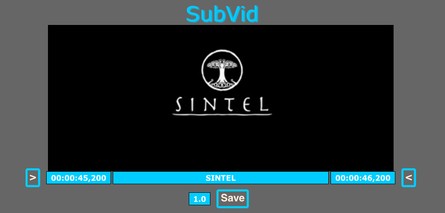
Screenshots
Download
Works with Opera 10.10 to Opera 12.
About this Unite application
| Downloads | 10,141 |
|---|---|
| Version | 3.0 |
| Size | 12KB |
| Last update | November 24, 2010 |
| Original page | Internet Archive |
All versions
- SubVid_711_3.0.ua 12 KB