

Artist's Sketchbook 1.65
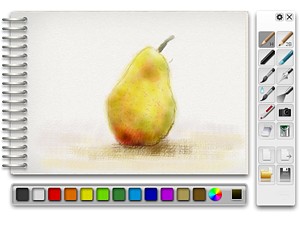
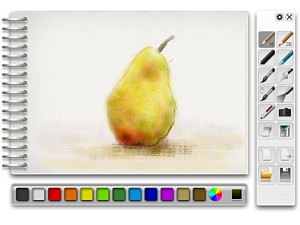
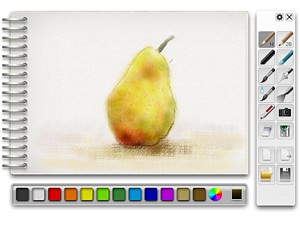
Advanced painting widget with tools like: pencils, charcoal, paint brushes and more.
Description
WARNING: The development of this widget by me is OVER. Some parts of it or the whole widget may be broken. I cannot remove my widgets, broken or not, once they are uploaded thanks to awesome Opera Software policy ("No, you can't delete your own widgets"). So there you go.
Also from now on my code and graphics in this widget is released into public domain.
***
VERSION 1.50 SCREENSHOTS
VERSION 1.50-1.65 CHANGELOG
If you will draw a masterpiece, don't worry, you won't lose it - this widget has picture exporting, saving and loading!
Screenshots
Comments (20 on the original page, latest shown)
Download
Works with Opera 9 to Opera 12.
About this widget
| Downloads | 1,587,661 |
|---|---|
| Category | Pictures |
| Version | 1.65 |
| Size | 463KB |
| Last update | August 3, 2009 |
| Devices | desktop |
| Original page | Internet Archive |
I don't think it is possible: I didn't look into the source of this widget (yet), but whiteboard uses the element which only allows the drawing of rectangles (with scripted paths), AFAIK, no brushes etc. like here. I'm afraid that would mean the development of a whole new application to get the Artist's Sketchbook "UNITEified" PS: Happy New Year
a great widget... very great, if you please
Вау! Этот мини-шедевр "весит" всего 450 КБ?!
Подскажите куда сохраняет нарисованное?
Wow.. it is one of my favorites, ... BUT it would be really helpful if it had, undo and redo features...and yes the paint bucket should only fill in the selected area.
> Подскажите куда сохраняет нарисованное? http://widgets.opera.com/bug/2941/
but where is a picture saving.i can't find the picture path.
I love painting applications so this one integrated in Opera is even better! Now I will be able to use some pencils without switching on paint or photoshop. It is really great. Thanks one more time for making this widget available and I hope to see more of them from you in the future too.
http://my.opera.com/ the community is very nice, tnx
There is also a movie on youtube about how to use it...
Can't export, can't open, don't know where it save the image when I click “Save”, and tool bar icons disappear randomly all the time. Seems it's broken.
It double-installs. That is, in the widgets panel there are two icons to open it, both of which apparently work.
Cool one, like it for my Design class
this one will be very useful !
this one will be very useful !
说英文的也有,说俄文的也有,都不知道你们在说神马?
this ROCKS!
General the Widget is really nice and i like it but i have trouble to switch between the "pens" and the rubber. If i one time click on the rubber i dont came back to the colors. Next problem is that i never can change the color...its every time only black. Anyone have same problems? I allready use Opera 11.61 Thx and Greetz from Germany! Steven
Many hours of fun... Thanks, thanks, thanks!
Like skorkwb says, it's impossible to change color to anything but black, and when you switch to rubber and back to a drawing utensil, you have to right-click on the rubber-size palette and choose "Update" to change back to the color palette (which won't help you because of problem 1)...