
Add-ons › Widgets › Web Developer

Buttonmaker
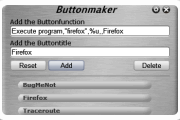
Make Operabutton with this Buttonmaker
Description
This Widget based on the data:url Editor from CrazyTerabyte
example for
Blocked content
:
Content block details,1,,,Delete
Blocked content
- 1.10 fixed for Opera 10
- 1.9 fixed links
- 1.8 bugfixed for Opera 9.5
Screenshots
Comments (17 on the original page, latest shown)
Download
Works with Opera 9 to Opera 12.
About this widget
| Downloads | 39,448 |
|---|---|
| Category | Web Developer |
| Version | 1.10 |
| Size | 54KB |
| Last update | December 28, 2008 |
| Devices | desktop |
| Original page | Internet Archive |
That is pretty cool for those techy enough to use it. For those who are wondering what buttons you can add, see this list which was for Opera 8, so won't include stuff like Block Content. Edit: Bah, just realised that link was on the config view of this widget, among others. Good widget.
I fail to see what use this could be, but very well made
Could you use this to make a button for each of your widgets - now THAT would be helpful
This is a great gadget! A basic knowledge of the syntax and you can make basic buttons. :-)
Can you give examples in order to launch a program and launch a website please?
See the back side of the Widget: http://operawiki.info/AllActions http://nontroppo.org/tools/buttonmaker/ http://tools.larskleinschmidt.de/opbuttongen
Would you please add a feature to the widget to make a button to save webpages as "WEB ARCHIVE"?
There is not button-function in Opera from a »save as Web archives«, only in the save dialog. Sorry
Thanx for the update!
Thanx for the update.
Thanks
Thanks for the update.
Took a little while to figure how to use the widget but got it now, very nice.
really good
Up
It's Great!
How do i drag the buttons to Opera? *confused*