

Calculator
Description
A scientific calculator with changable settings.
Latest Changes:
- Fixed the Teal skin, it looks now better
- Font changing now affects the buttons as well!
- Everything evaluated is now sent to another text field. This field can't be modified. To get evaluated code, select it with the mouse, and click on the right mouse button and select "Copy"
- Added the Fuchsia skin
- Set the Calculator title and the toolbar buttons to the top and rewrote it. This means the button positions do not shake anymore while changing views
- The button graphics are redrewn! They are now similar to each other as well.
- The colors change into yellow when hovering buttons
- Button texts are now in bold
See the Calculator itself to see the full Changelog.
Comment writing and rating are approciated, if you have any time, rate, comment or suggest a new feature. Thanks
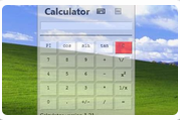
Screenshots
Comments (17 on the original page, latest shown)
Download
Works with Opera 9 to Opera 12.
About this widget
| Downloads | 56,654 |
|---|---|
| Category | Science |
| Version | 1.0 |
| Size | 6KB |
| Last update | August 14, 2006 |
| Devices | desktop |
| Original page | Internet Archive |
Feel free to write a comment, appreacited
You could make the opacity setting as a slider, like this testcase. http://h1.ripway.com/shoust/Opacityrangebug.htm
Very nice one, I will get that one to the next release Edit: Input type="range" ??? I didn't know there was that kind of thing
This might be hard to believe but the calculator was originally like this By the way, it never worked
great ! but unfortunatelly hard (impossible ?) to use with keyboard...
: Click on the input/output screen with your mouse and the keyboard should work. It's a normal textfield that is just styled. Hmmmmmm, I've been adding more features to this so I might release another update.
OK version 1,5 is released (a while ago), comment me what you think!
well if I type 3e-5 / 10 to the entry field and hit enter, it writes 3e-5 / 10E and the out put is 2.9206095999639496e-8 I *think* that's not how it should work. EDIT: even if it thinks that E is the Euler number (2.71828183) the output doesn't seem to have anything to do with reality?
I know... that's a bug that has been bugging me. I don't know what's the matter with that. Also the widget seems to replace only one occurrence of a constant. if I type PI*PI it ends up in a JS error. looks like this seems to be related to str.match(); I'll try to figure these out.
Ok I fixed that PI*PI bug but the E error seems to be very hard... perhaps I should use str.replace with str.search.
Nice stuff aleksanteri. Very simple easy to use and config.
I'm gonna make big updates into this when I've got time Here are some: - Linux support (no transparency at start) - move all apparence related config into one tab and have space for real config - have configs saved Plus I'm also planning a whole new UI...
How about a 10-key function calculator with an on-screen tape??
Pretty calculator, I like it. Thanks much
Wow! I love it! Thank you soooooooo much! But, the full width doesn't show up. I can't see the buttons in the right (5th) column, where the Red one is. I was thinking: hmmm....where's the arrows to make the sides wider so all the buttons can be seen? Oh well.............. Thanks again.
Why is it opague? Makes it very hard to read unless it's against a solid, dark background. Also, far right column of buttons are cut off. Some minor tweaks, and this will be a nice calculator.
"malformed" in opera 10 beta 2 USB build 1642, the entire row of the "C" key (clear) is cut off, and when you hit clear, it "disfigures" the widget again cutting off the other side