

Chinese Abacus
Description
With this traditional Chinese abacus you can do multiplication, division, addition, subtraction and even square root and cube root operations at high speed! Moreover you can make calculations in both decimal and hexadecimal systems.
Calculators? Who needs calculators?
Screenshots
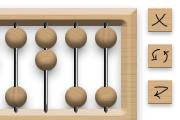
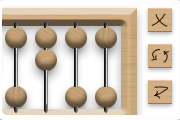
Comments (14 on the original page, latest shown)
Download
Works with Opera 9 to Opera 12.
About this widget
| Downloads | 63,787 |
|---|---|
| Category | Science |
| Version | 1.0 |
| Size | 108KB |
| Last update | August 7, 2006 |
| Devices | desktop, tv |
| Original page | Internet Archive |
Here are some sites with abacus tutorials I found: http://www.ee.ryerson.ca/~elf/abacus/ http://www.sungwh.freeserve.co.uk/sapienti/abacus01.htm
Nice done widget game!
: it's not really a game (or maybe you know some abacus games?) but thanks anyway
very nice! I`ll use it on daily basis from now... =D
grafio: ooops! To make this widget even cooler give user more variants of abacus to choose from (Russian, Japanese, Roman). And in the help give an explanation how to use each one. http://en.wikipedia.org/wiki/Abacus
Very good widget, works flawless, so five stars! The number of rods is a bit small for serious work, though. Maybe increase to some twenty or thirty? Please? Dots on the bar (Japanese) would also be welcome. And when a rod has a value > 9, it might be an idea to display hex A-F down below. So far my wishlist. Recommended website for abacus learning: http://webhome.idirect.com/~totton/abacus Enjoy!
Very good widget, thanks. : The Code is quite simple, harder are the graphics. So either recode the widget broader (same with the background) or simlply use TWO or more instances of Abacus - then you have "more twenty or thirty" columns ;-) German introduction to Abacus at: http://www.benjaminwrightson.de/abakus/homepage.htm Worldwide Abacus-Fotos see at: http://www.uni-greifswald.de/~wwwmathe/RTS/node4.html (University of Greifswald, Germany) God bless You.
Really neat widget. I actually went onto amazon and bought an abacus because of it (Still waiting for it to arrive). I've always known about the device, but never took the time to learn how to use one before. Learning that I could also use the thing for hex math was even more interesting. I moddified the code of the widget to display A-F for numbers 10 or higher, so now it fits my style a bit better. Thanks again for a really niffty widget.
: I had already found the multi-widget trick, but forgot to post it here and to check back at all. So thanx for your reminder. The multi-widget trick works even better if you have one widget in normal position, and the other(s) always in front or back. Position the widgets so that their side borders look like one central bar, which can be used as decimal marker. Only the buttons will show through, but that's no big deal. As long as you don't click on them.
Very well done, I always wanted somthing like that. lolz :]
A unique widget for me, Thanks
very interesting!
Really interesting.
Hi. :^) I love learning about the abacus. Thank you. Would you create a setting to let us skip the animation, please? Would you put a background on the abacus, so that we won't poke through? Also, would you put the buttons on top, instead of at the side, please?