
Add-ons › Widgets › Fun and Games

Comic Viewer
A configurable viewer for online comics
Description
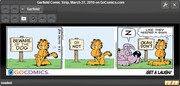
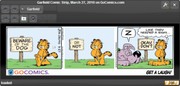
This Comic Viewer gives you an easy and comfortable way to watch all your favorite online comics.
The simple and intuitive front page of the widget allows browsing through all your favorite comics without the unneeded additional content of web comic pages. Only downloading the needed parts of a comic web page and precaching of adjacent comic strips makes browsing through your comics fast and lag free. An import/export feature allows to backup your whole settings or share your comic selections with friends.
Use powerful css3/jQuery selectors to specify which parts of a web page should be displayed in the viewer and how to connect the navigation buttons. Displaying of extra content below the comic strip allows you to read additional notes or comments. Choose how to layout multiple images on one page or scale large images for scroll free viewing.
A list with preview thumbnails allows you to arrange the comics per drag&drop in your favorite order. Or sort them alphabetical with just one click. You can even style the viewer with one of 25 available themes.
The only drawback is that you can't view web comics that need referer information. Current browser security measures prevent this.
For further information how to configure your own comics and presentation of selected comics visit
my blog
here on my.opera.com.
Quick Start Settings
The widget comes only with one default comic configured. If you want to try the widget with more then the default comic you can
find a preconfigured collection here
.
Version 1.12 (2011-08-20)
Changelog
Updated jQuery and jQuery UI.
Fixed showing scrollbars when not needed.
Before downloading an update check the version shown on top of this page. If it is lower than stated here the update is still reviewed by Opera.
There are problems with the Opera 10.60 security model. Please press F5 in widget after initial start if you see a security violation error.
This bug is fixed in Opera 10.61.
Feedback Welcome
Lots of downloads but feedback is still lacking. Please leave comments, feature requests or critics here or at my
blog
. And if you like it, don't forget to vote! And if you vote it down please leave a comment stating why you don't like it.
Screenshots
Comments (16 on the original page, latest shown)
Download
This file has not been recovered yet. Do you have a copy? Tell us.
About this widget
| Downloads | 32,656 |
|---|---|
| Category | Fun and Games |
| Version | 1.12 |
| Size | 1MB |
| Last update | August 20, 2011 |
| Devices | desktop |
| Original page | Internet Archive |
Allow me to be the first to review. I like the look of this widget on the example page, but it is rather difficult to use. Certainly I don't mind learning new things, but the fact that this widget requires step-by-step instructions to obtain your favorite comic which involves Dragonfly kinda takes the fun out of quickly and painlessly downloading a widget that works immediately. Any chance you can offer a few "standard" comics like Calvin and Hobbes in the widget when it's downloaded?
At CaptainQuestion: Thanks for the feedback, I put a collection of comics together. Just follow the link under 'Quick Start Settings' in the description above and the instructions there. I have currently not included a list in the widget download because that is bad to maintain with the widget review process, I'm still tweaking settings and my current collection may be overkill or not be suited for most users. Maybe I will create some standard lists in the future. Comic suggestions for such lists, preferable with PG rating or parental warnings for classification, are welcome.
Thanks for your very fast response pwojke. Widget is working like a dream now (love Calvin and Hobbes) and I'm very pleased with it. Your preconfigured comic list is voluminous, and the widget has a great look in general. I'm also very appreciative of the fact that it's up to date with Opera 10.5, a rarity these days with most widgets. Good Work!!
Excellent work, just needs a little bit better,sometimes even if the selectors are correct, buttons stop responding
Very nice! The toolbar could probably use some attention, though; it appears as though the buttons have all been thrown to the left, which looks a bit awkward.
At Tangent128: The button position on the top left was chosen deliberately. At that place the buttons don't move if the size of the window or the size of comic select button changes. I could place the comic navigation to the right of the page navigation. If some users would prefer that layout I could make it an option.
To bad that the comic books are not so popular anymore. I have a big collection at home, but there no kid that i know, to be interested...
: I see the logic; a switch would still be nice, but it's growing on me a bit.
Love it! Suggestion: I follow a LOT of web comic, and when I discover new one, I like to start from beginning... but I don't always have time to sit trough thousands of updates! If you could add a feature to remember which you saw last it would be great ^-^
At rem0te: The widget remembers the address of the last page you viewed of every comic. If you browse through old strips and and close the widget it should be in the state you left it. Using only the page address as reference fails for the current page of some comics. These comics use always the same address for the current comic, e.g. with http://www.leasticoulddo.com/. I'm still looking for a good solution to this problem. A workaround is to browse one page back to get a unique address if you know you will miss some updates and don't want to search back where you stopped.
Great! Suggestion: Keyboard shortcuts
WOW. This is super nice application. Works extremly well and fast. Please add keyboard shortcuts: my props: next - right arrow, space, page down, "next" gesture prev - left arrow, backspace, page up, "prev" gesture Zoom functionality will be also usefull (+ zooming using mouse scroll). Or fullscreen mode. Or automatic slideshow mode. (Usefull in fullscreen for presentations)
At movax: Customizable keyboard shortcuts has been added in version 1.7, freshly released. Using key combinations already in use by Opera, like space and many ctrl combinations, will lead to unwanted behavior. I'm currently looking for a solution for that problem. I don't think I can get mouse gestures to work, because a widget consist of only one page that is changed by JavaScript. There is no history or new page Opera can use for gesture navigation. Using opera zoom functionality currently breaks the layout. But you can set an individual zoom factor for each comic (Settings / Selected Image / Scale Image to %). Changing widget modes from inside the widget seems not to be possible. But you can edit the config.xml (located where you installed your widget) and change the defaultmode attribute from "widget" to "application". After the next start the widget will behave like a normal application with native window decoration. I don't see much use for an automatic slideshow mode when reading comics. Maybe if you use the widget for viewing other types of pictures on the web.
Hmmm, is it me only or its broken in 10.60? since I updated I get "error: ,ReferenceError: Security violation" in its status bar and comics wont display.
At rem0te: 10.60 introduced some JavaScript security model problems. Other developers have the same problem, but what caused it is unknown. Reloading the Comic Viewer widget by pressing F5 should help until the bug is fixed.
Well,can I just leave the suggestion here? I think it would be very nice if I could skip to any day's comic.I really want this feature to be added because I would like to read Garfield and other comic from the first chapter.I would really appreciate your effort if you would be so kind to do what I said.It's up to you. I'm sorry if my English is incomprehensible.It's not my native language.