
Add-ons › Widgets › Web Developer

Compare Image
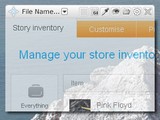
Creates a translucent window with the selected image.
Description
Only for / Только для Opera 10.10+
To copy the color from the pipette, simply press ctrl + c [cmd + c]
Это незаменимый инструмент для верстальщиков и разработчиков а также для людей рисующих, он позволяет наложить любое изображение и выбрать уровень прозрачности, после чего сравнение макета нарисованного и макета который верстается или разрабатывается намного ускоряется.
Так же это великолепный инструмент если вы верстаете не глядя в макет, больше не нужно смотреть и сверять размеры, все можно сделать очень быстро на глаз, главное теперь возможно!
Интерфейс прост и понятен, нажимаете на надпись где предлагают выбрать файл, выбираете его в открывшемся окне, и все готово!
Некоторые сравнивают это с Pixel Perfect для FF, называя это Pixel Perfect для Opera, всего чего угодно!
#Englishe (translate google)
It is an indispensable tool for DTP and developers as well as to portray the people, it allows you to put any image and choose the level of transparency, then the comparison drawn by the layout and the layout that Turkel or developed much faster.
Just a great tool if you're not looking for layout in the layout, no longer need to look at and compare the size, everything can be done very quickly by eye, the main thing is now possible!
The interface is simple and clear, click on a label which offer to select a file, select it in the window that opens, and you're done!
Some compare it with the Pixel Perfect for FF, calling it Pixel Perfect for Opera, just about anything!
Буду рад услышать ваши, пожелания и предложения!
I will be glad to hear from you, wishes and suggestions!
Screenshots
Download
Works with Opera 9 to Opera 12.
About this widget
| Downloads | 6,982 |
|---|---|
| Category | Web Developer |
| Version | 2.1 |
| Size | 304KB |
| Last update | March 12, 2010 |
| Devices | desktop |
| Original page | Internet Archive |